
Let’s Talk


Emy.AIAsk. Get Answers.
Designed Emy.ai, an AI-driven text-to-SQL tool that helps users ask business questions in simple English and instantly get accurate insights as charts and tables. The system understands complex data through a structured knowledge base, allowing users to explore finance, inventory, and procurement data without writing any SQL.
ROLE
Ux Designer

SCOPE OF WORK
UX Research
UI Design
Prototyping
industry
Enterprise Data & Analytics
AI in Enterprise Software


Problem Statement

Business users cannot write SQL, so they struggle to get insights from complex data stored across 300+ tables.
They depend on technical teams for even basic questions, which slows down decision-making.
Existing AI tools give incorrect queries because they do not understand the company’s custom data structure.
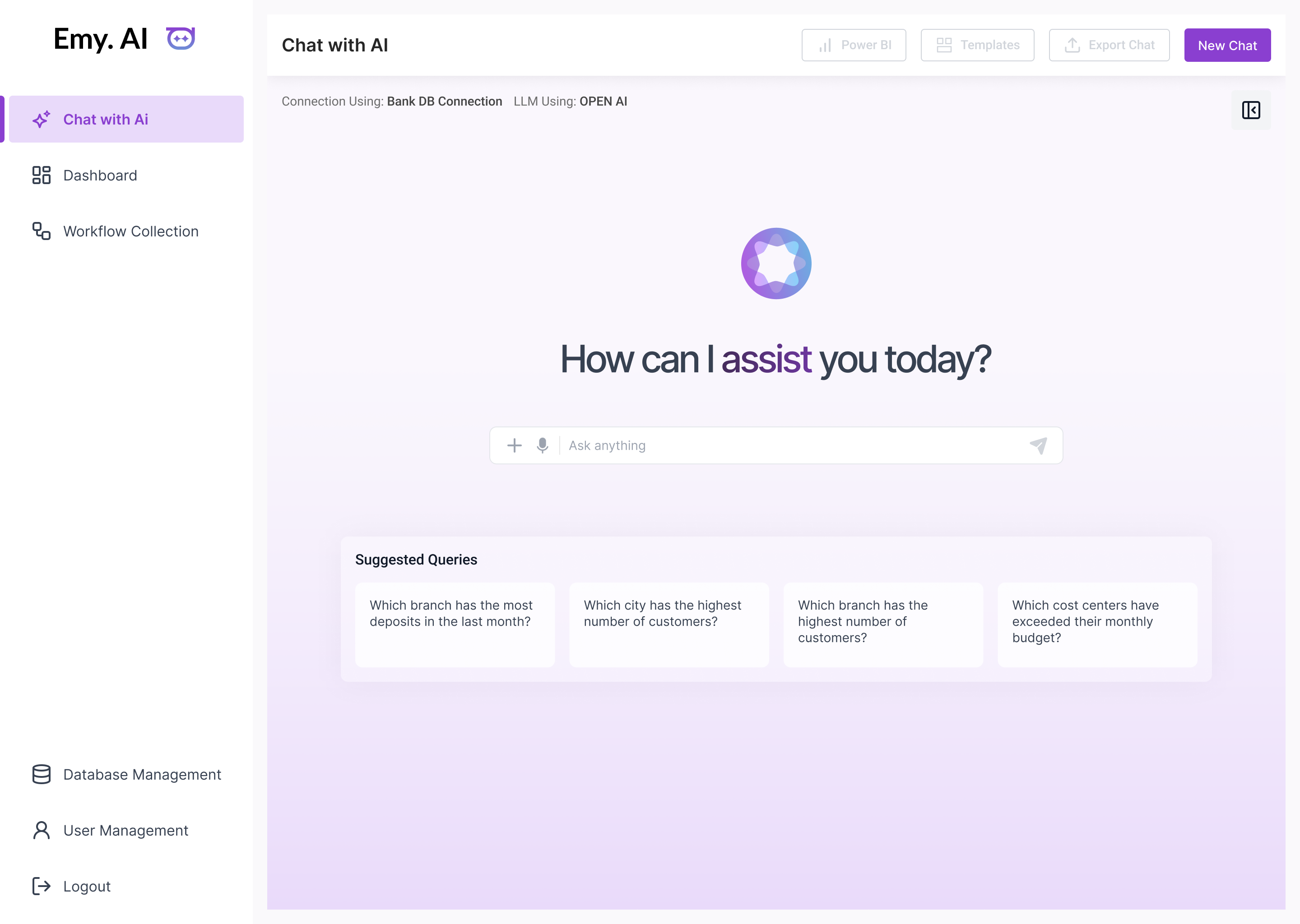


How I Solved the Problem
The system understands complex data through a structured knowledge base, allowing users to explore finance, inventory, and procurement data without writing any SQL.


Application Flow
A seamless system that converts everyday questions into meaningful data insights within seconds.


Let’s Connect
So we can talk about
your project
Have any question or project in your mind?


google.com

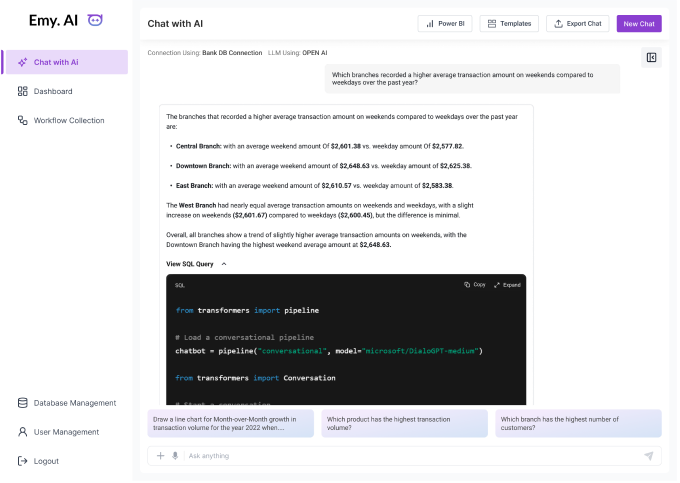
Chat with AI Flow
Users type or speak a question, and the system turns it into a correct SQL query. Results appear as clean charts and tables, and suggested queries help users start quickly.


google.com

From Concept to Completion: Our Full Stack Expertise
At eSparkBiz, we empower your business with premium products through our fully-equipped ODCs, tech-savvy teams, and customizable services. As a reliable IT outsourcing company, our agile DevOps and full stack expertise ensure stress-free technological solutions for optimal growth and scalability.
Web
Software
Mobile
AI/ML
QA
UI/UX
Infrastructure
Dedicated Development Teams
Web Development
With our 12+ years of industry expertise & world-class skillsets, we build dynamic and functional web products specifically tailored to your business domain. Our web architects use best-fit approaches and the latest technologies to deploy secured web solutions like PWAs, e-commerce stores, dynamic web pages, etc. that function smoothly on all screens.

Web Development Services

Web Application Development Services

Web Development Outsourcing

Custom Web Application Development
Build Your Team


CSS
Script


<HTML>


google.com



google.com

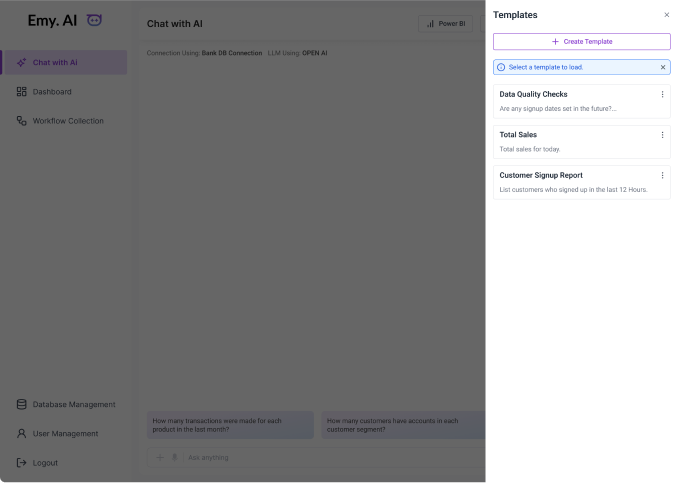
Templates Panel
This screen shows a side panel where users can quickly load ready-made templates for common queries like data quality checks, total sales, or customer signup reports. It helps users reuse frequent questions without typing them again.
The “Create Template” option lets users save their own custom prompts, making recurring tasks faster and more consistent.
This feature reduces effort and gives users a quick way to start their analysis with just one click.


google.com

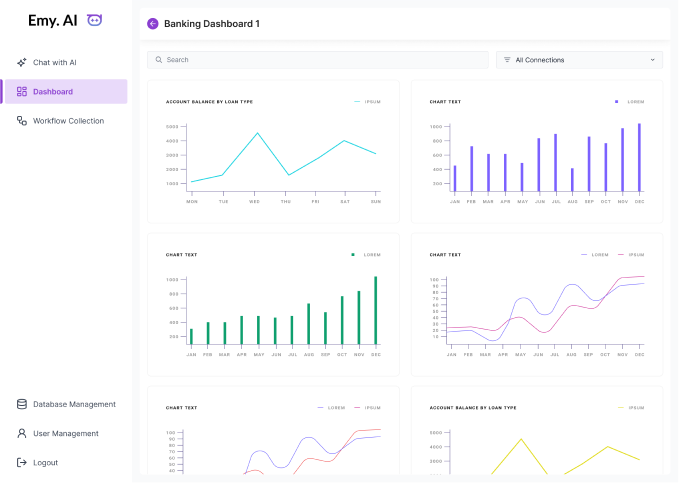
Dashboard Flow
Users can view saved insights and charts in one place. It allows them to revisit important information without asking the same questions again.


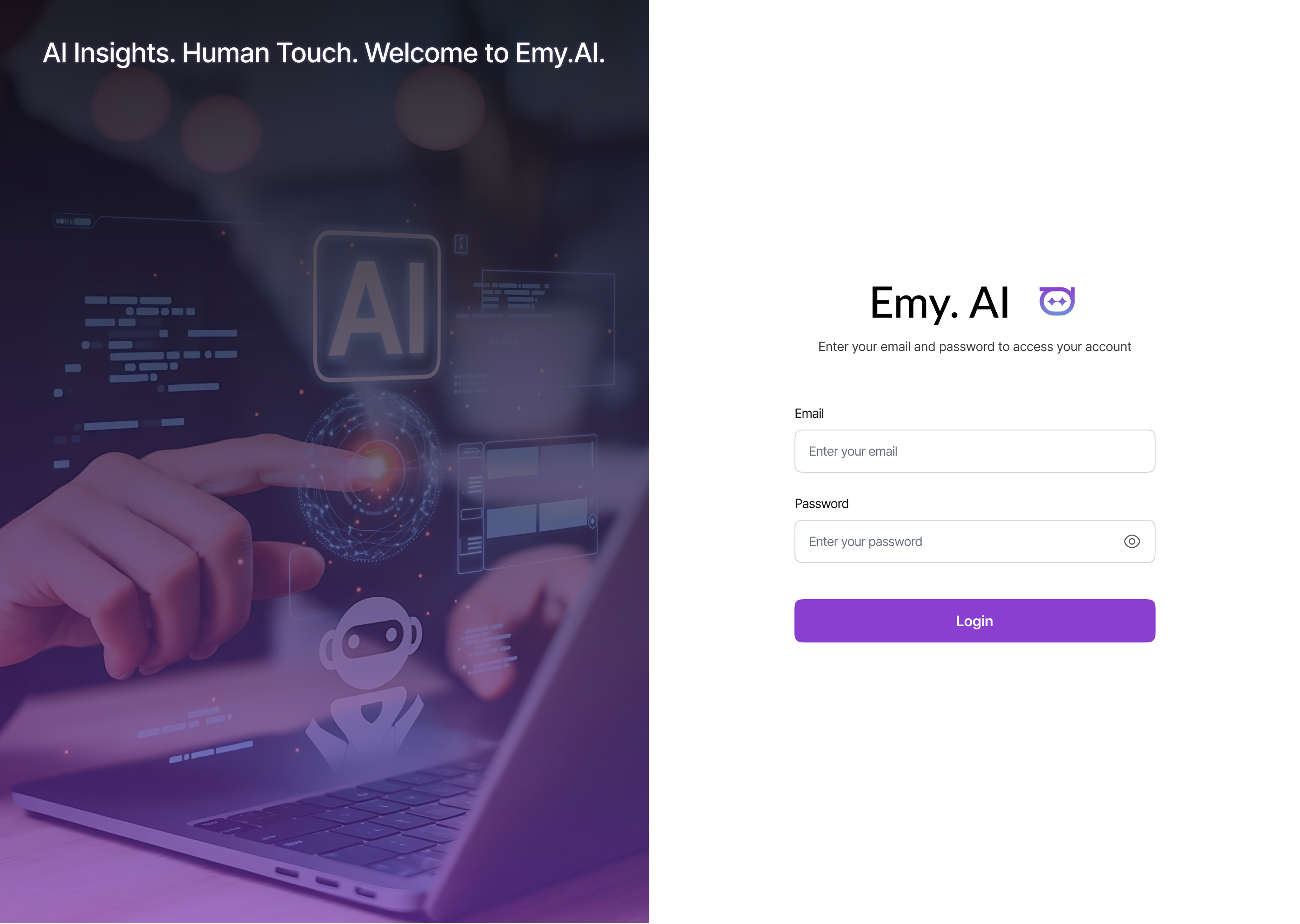
See It in Action
Play the video to see the solution come alive.


google.com

What I did

I studied common issues businesses face with old websites, old layouts, slow performance, broken flows.
I designed a smart, modular system that refreshes key sections instead of replacing the whole website.
I created a clean, modern UI library that fits different industries and can be applied quickly.
I simplified workflows so businesses get a faster, smoother upgrade process.
Managed end-to-end UX process as a solo designer.
Let’s Talk

Go back


Let’s Connect
So we can talk about your project
Have any question or project in your mind?


Emy.AI — Ask. Get Answers.
Designed Emy.ai, an AI-driven text-to-SQL tool that helps users ask business questions in simple English and instantly get accurate insights as charts and tables.
The system understands complex data through a structured knowledge base, allowing users to explore finance, inventory, and procurement data without writing any SQL.
ROLE
Ux Designer

SCOPE OF WORK
UX Research
UI Design
Prototyping
industry
Enterprise Data & Analytics
AI in Enterprise Software

What I did

Analyzed how business teams ask questions and use data.
Designed a simple interface for instant answers to natural-language queries.
Built user flows from input to charts, tables, and SQL results.
Simplified complex data journeys from 300+ tables for effortless user experience.
Created low- and high-fidelity wireframes to refine flow and interactions.


google.com



How I Solved the Problem
Existing AI tools give incorrect queries because they do not understand the company’s custom data structure.


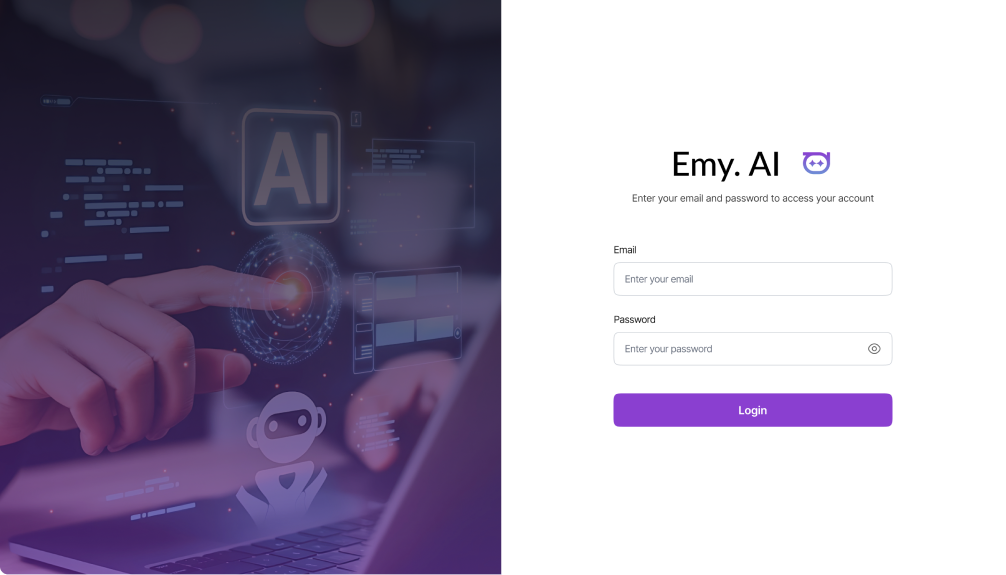
See It in Action
Play the video to see the solution come alive.
Problem Statement

Business users cannot write SQL, so they struggle to get insights from complex data stored across 300+ tables.
They depend on technical teams for even basic questions, which slows down decision-making.
Existing AI tools give incorrect queries because they do not understand the company’s custom data structure.

Application Flow
A seamless system that converts everyday questions into meaningful data insights within seconds.


google.com

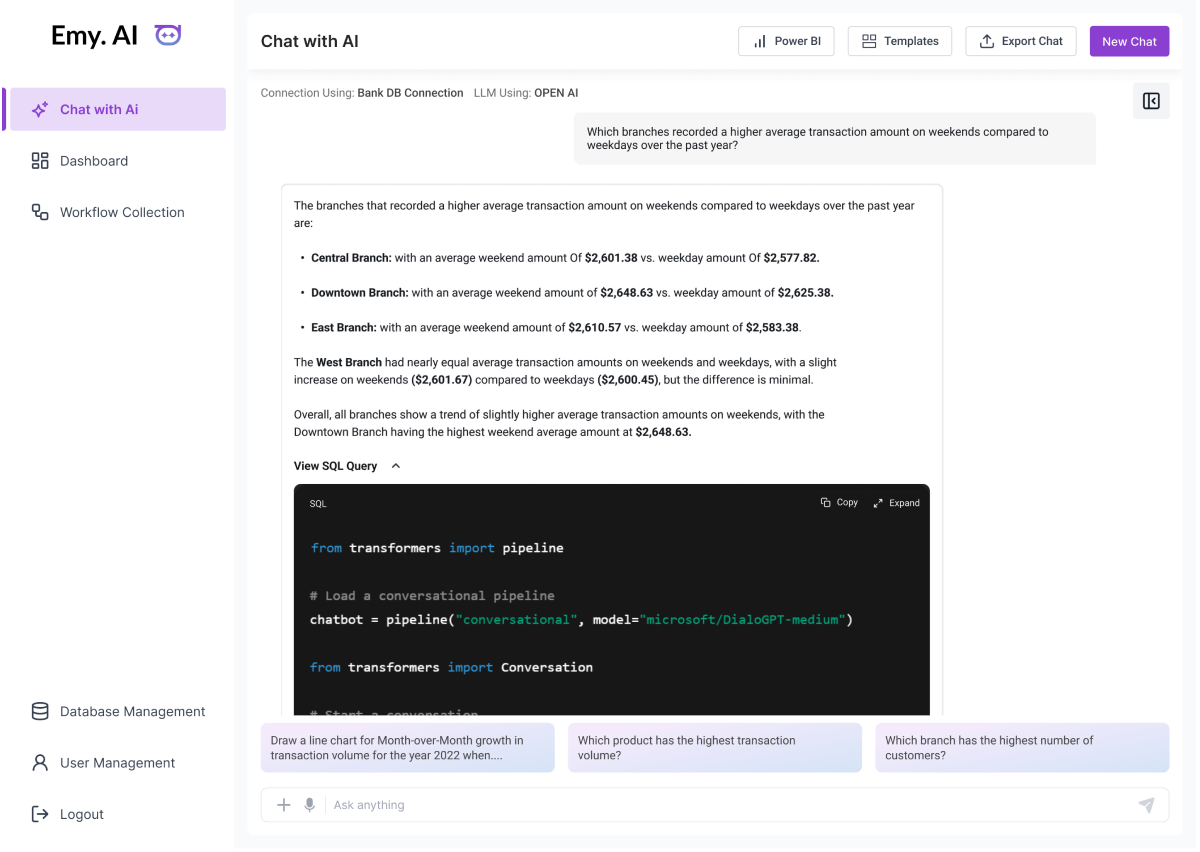
Chat with AI Flow
Users type or speak a question, and the system turns it into a correct SQL query. Results appear as clean charts and tables, and suggested queries help users start quickly.


google.com
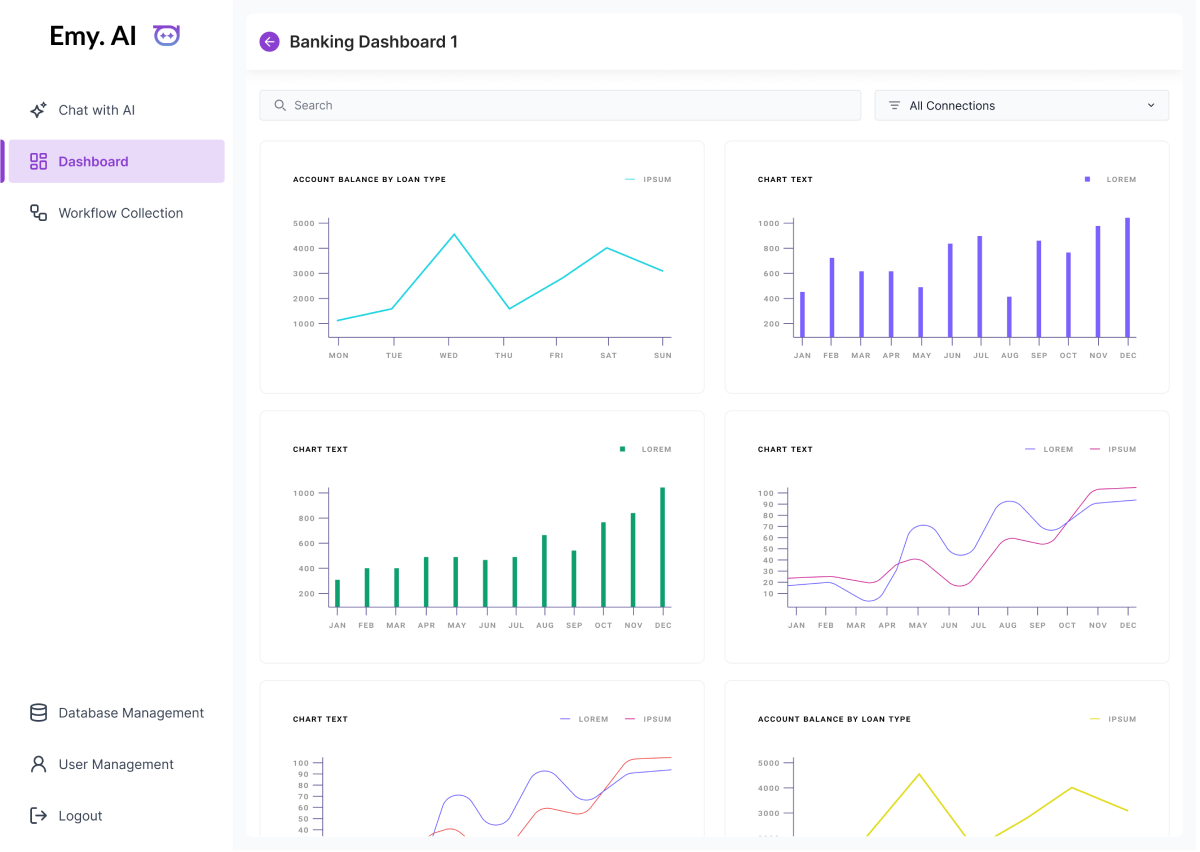
Dashboard Flow
Users can view saved insights and charts in one place. It allows them to revisit important information without asking the same questions again.


google.com
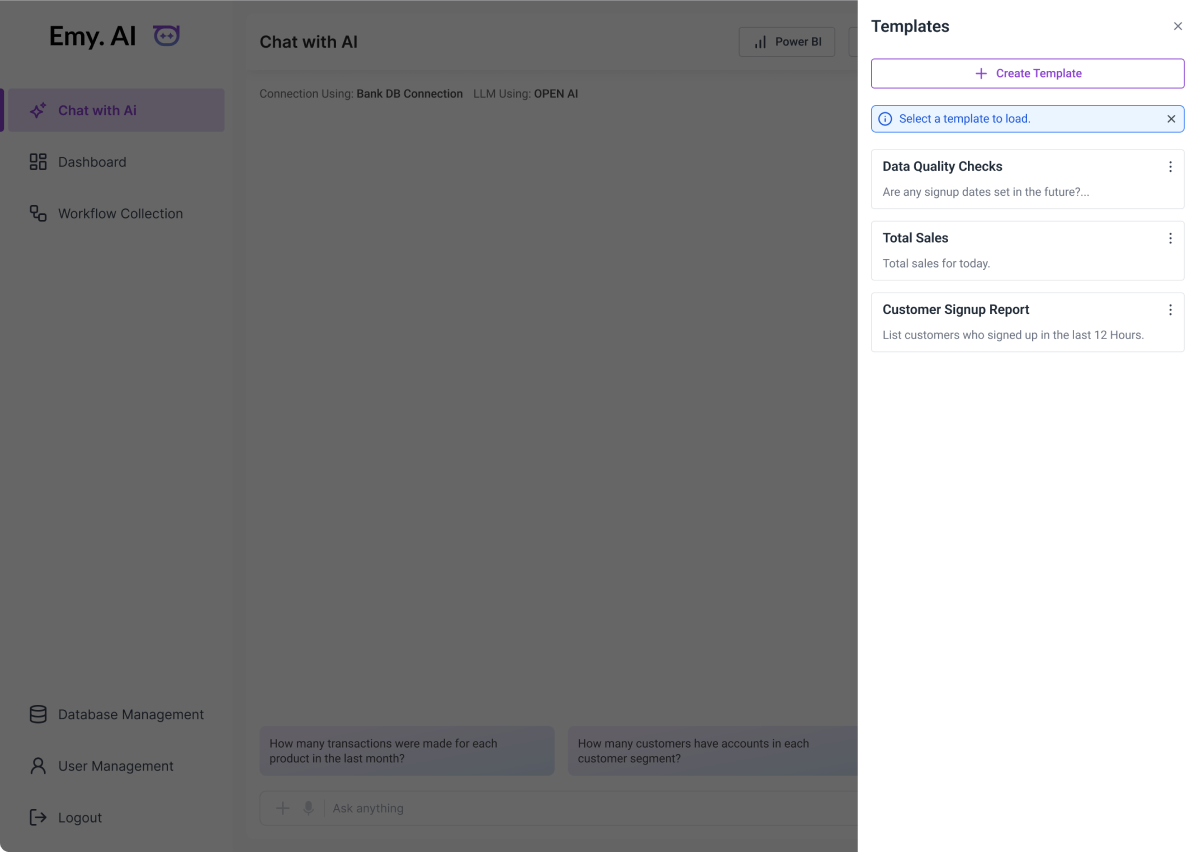
Templates Panel
This screen shows a side panel where users can quickly load ready-made templates for common queries like data quality checks, total sales, or customer signup reports. It helps users reuse frequent questions without typing them again.
The “Create Template” option lets users save their own custom prompts, making recurring tasks faster and more consistent.
This feature reduces effort and gives users a quick way to start their analysis with just one click.
Let’s Talk

Go back



Let’s Connect
So we can talk about your project
Have any question or project in your mind?


Emy.AI — Ask. Get Answers.
Designed Emy.ai, an AI-driven text-to-SQL tool that helps users ask business questions in simple English and instantly get accurate insights as charts and tables.
The system understands complex data through a structured knowledge base, allowing users to explore finance, inventory, and procurement data without writing any SQL.
ROLE
Ux Designer

SCOPE OF WORK
UX Research
UI Design
Prototyping
industry
Enterprise Data & Analytics
AI in Enterprise Software

What I did

Analyzed how business teams ask questions and use data.
Designed a simple interface for instant answers to natural-language queries.
Built user flows from input to charts, tables, and SQL results.
Simplified complex data journeys from 300+ tables for effortless user experience.
Created low- and high-fidelity wireframes to refine flow and interactions.


google.com



How I Solved the Problem
Existing AI tools give incorrect queries because they do not understand the company’s custom data structure.


See It in Action
Play the video to see the solution come alive.
Problem Statement

Business users cannot write SQL, so they struggle to get insights from complex data stored across 300+ tables.
They depend on technical teams for even basic questions, which slows down decision-making.
Existing AI tools give incorrect queries because they do not understand the company’s custom data structure.

Application Flow
A seamless system that converts everyday questions into meaningful data insights within seconds.


google.com

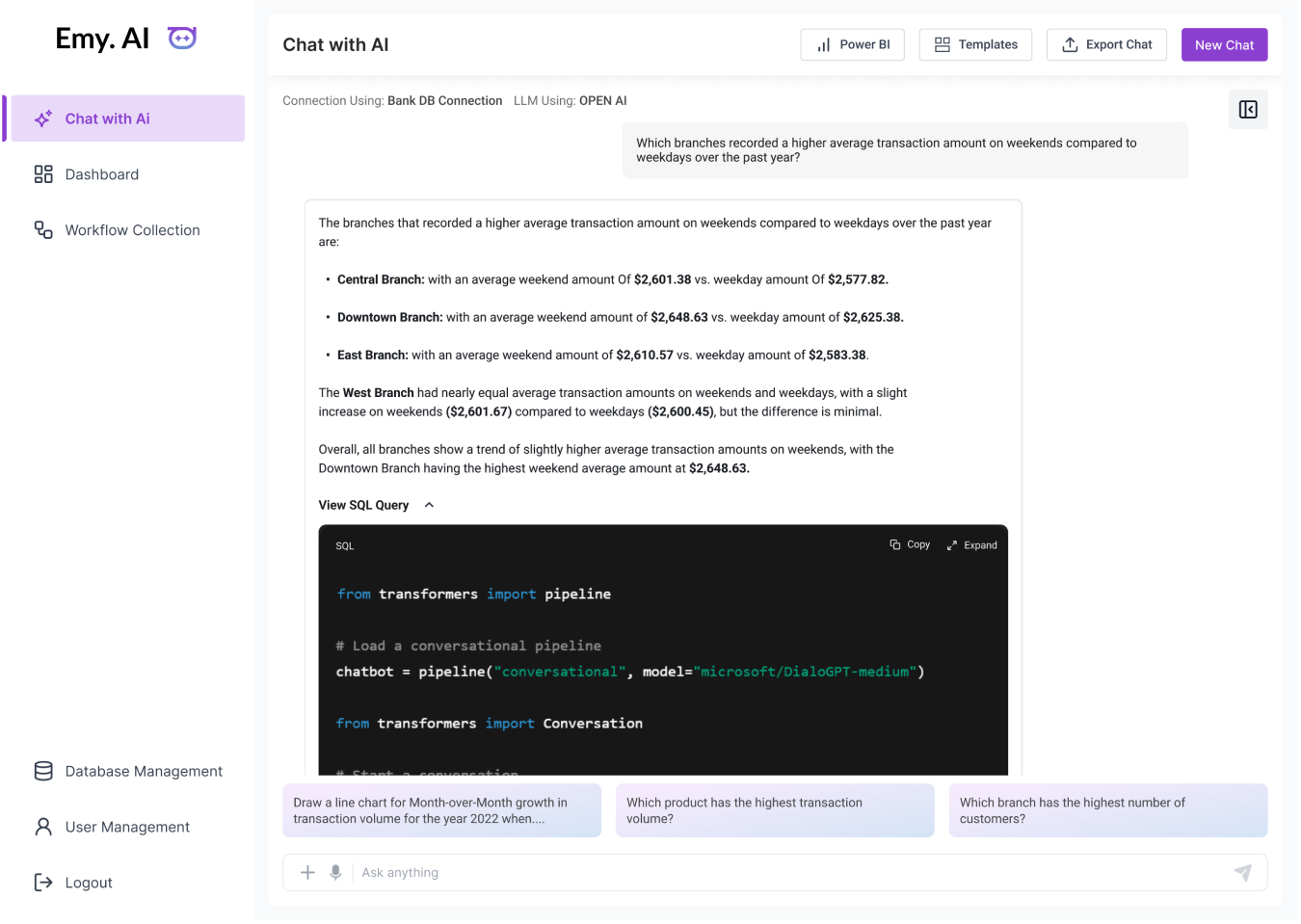
Chat with AI Flow
Users type or speak a question, and the system turns it into a correct SQL query. Results appear as clean charts and tables, and suggested queries help users start quickly.


google.com
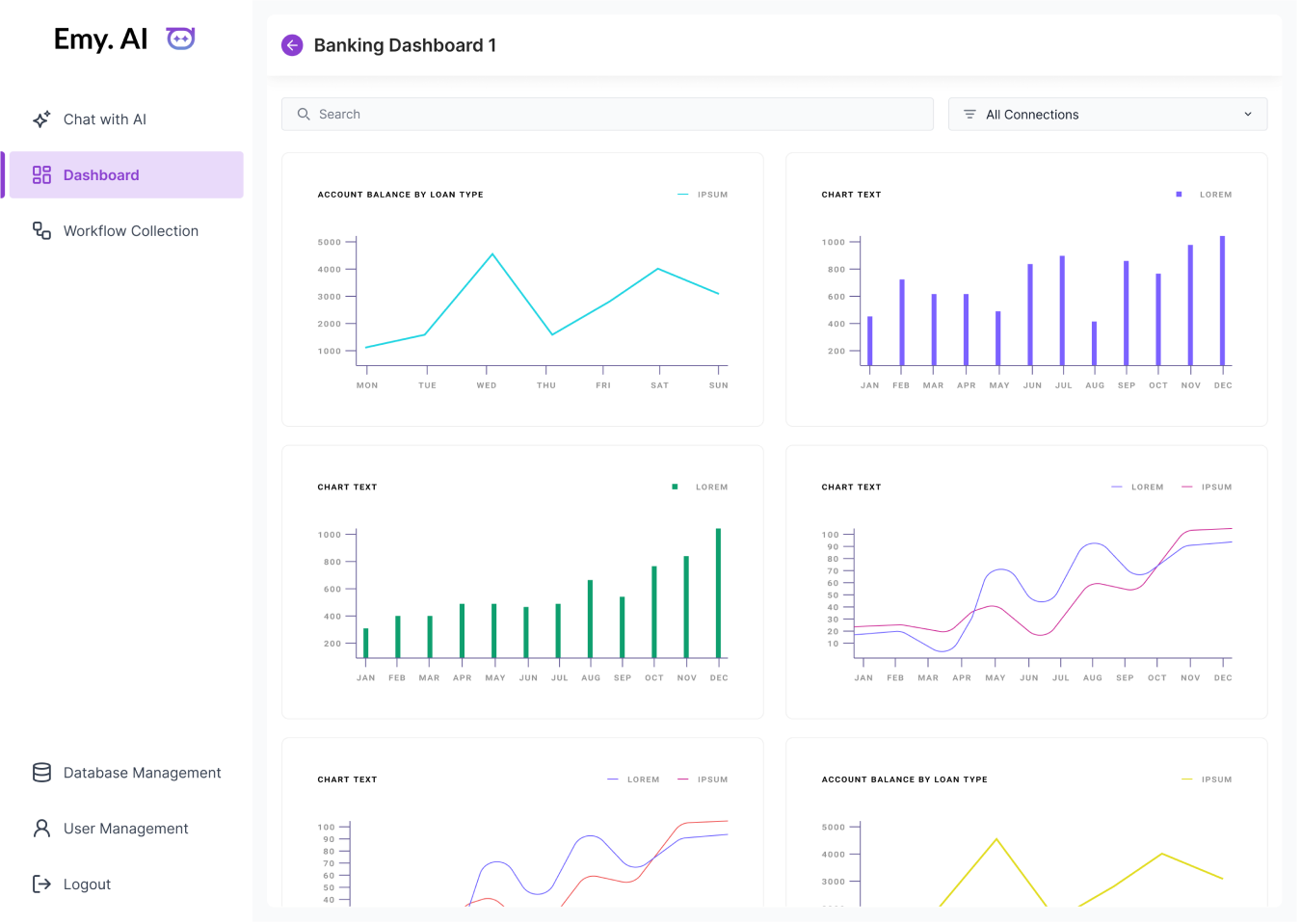
Dashboard Flow
Users can view saved insights and charts in one place. It allows them to revisit important information without asking the same questions again.


google.com
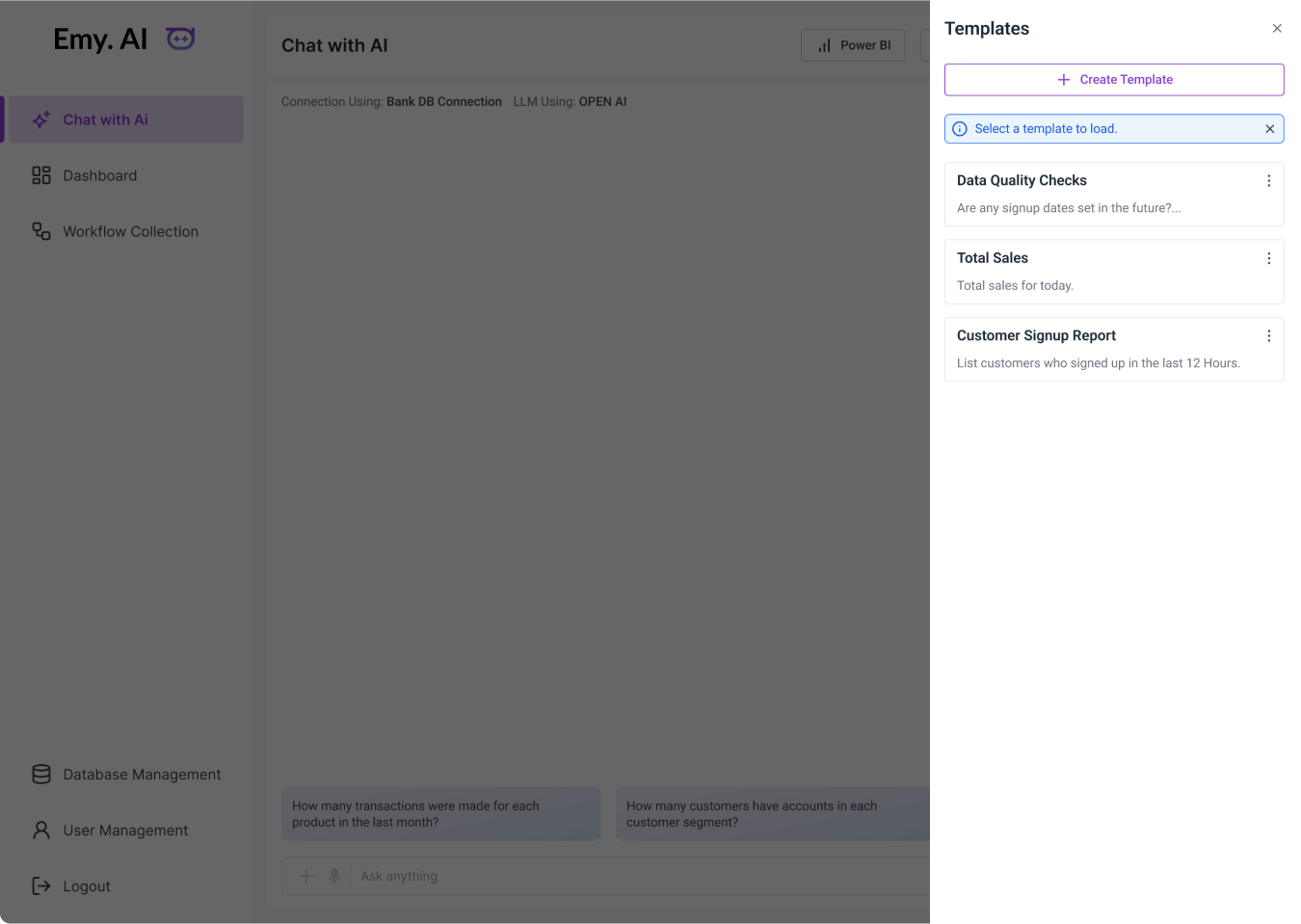
Templates Panel
This screen shows a side panel where users can quickly load ready-made templates for common queries like data quality checks, total sales, or customer signup reports. It helps users reuse frequent questions without typing them again.
The “Create Template” option lets users save their own custom prompts, making recurring tasks faster and more consistent.
This feature reduces effort and gives users a quick way to start their analysis with just one click.
Let’s Talk

Go back



Let’s Connect
So we can talk about your project
Have any question or project in your mind?


Emy.AI — Ask. Get Answers.
Designed Emy.ai, an AI-driven text-to-SQL tool that helps users ask business questions in simple English and instantly get accurate insights as charts and tables.
The system understands complex data through a structured knowledge base, allowing users to explore finance, inventory, and procurement data without writing any SQL.
ROLE
Ux Designer

SCOPE OF WORK
UX Research
UI Design
Prototyping
industry
Enterprise Data & Analytics
AI in Enterprise Software

What I did

Analyzed how business teams ask questions and use data.
Designed a simple interface for instant answers to natural-language queries.
Built user flows from input to charts, tables, and SQL results.
Simplified complex data journeys from 300+ tables for effortless user experience.
Created low- and high-fidelity wireframes to refine flow and interactions.


google.com

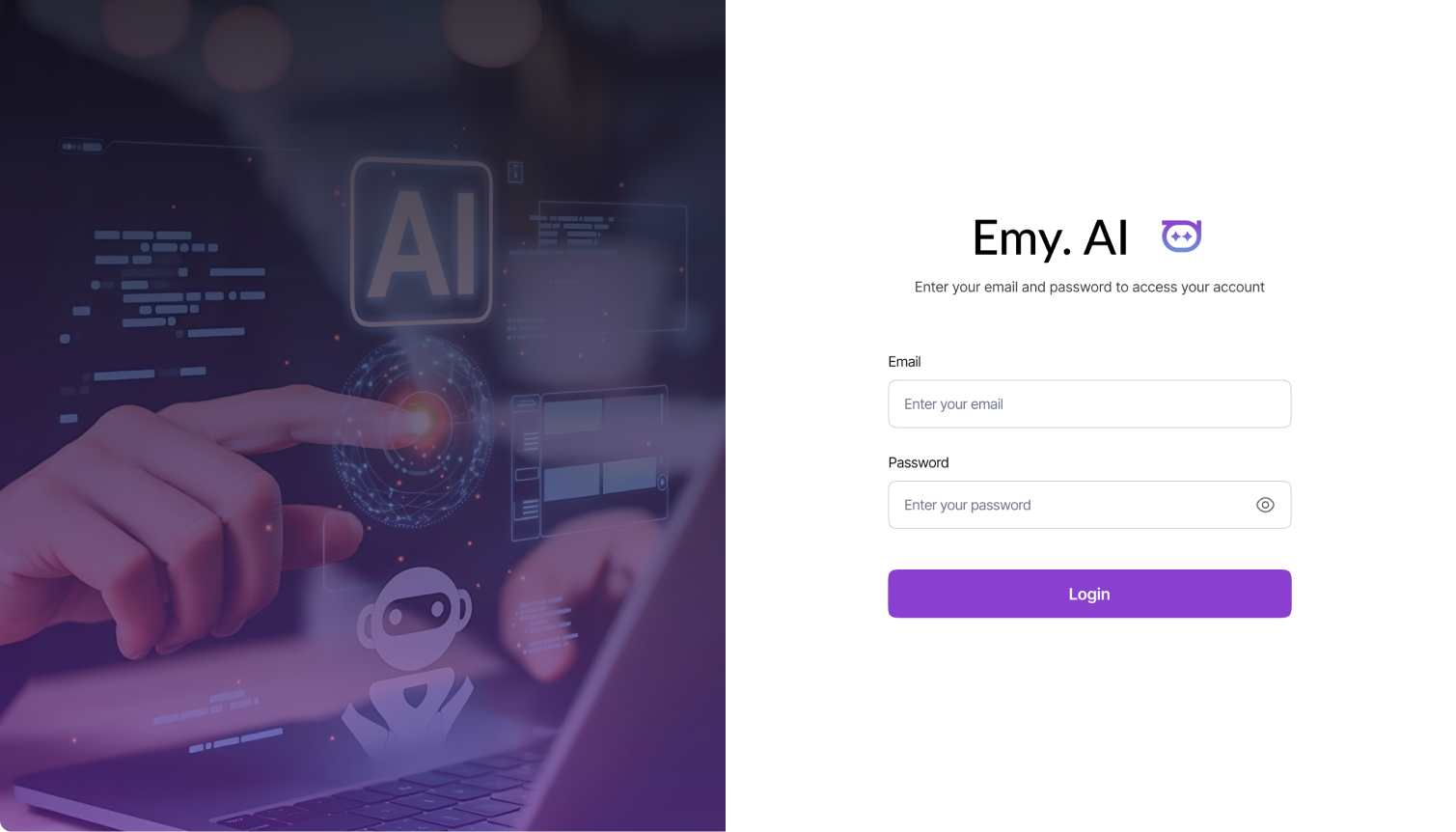


How I Solved the Problem
Existing AI tools give incorrect queries because they do not understand the company’s custom data structure.


See It in Action
Play the video to see the solution come alive.
Problem Statement

Business users cannot write SQL, so they struggle to get insights from complex data stored across 300+ tables.
They depend on technical teams for even basic questions, which slows down decision-making.

Existing AI tools give incorrect queries because they do not understand the company’s custom data structure.

Application Flow
A seamless system that converts everyday questions into meaningful data insights within seconds.


google.com

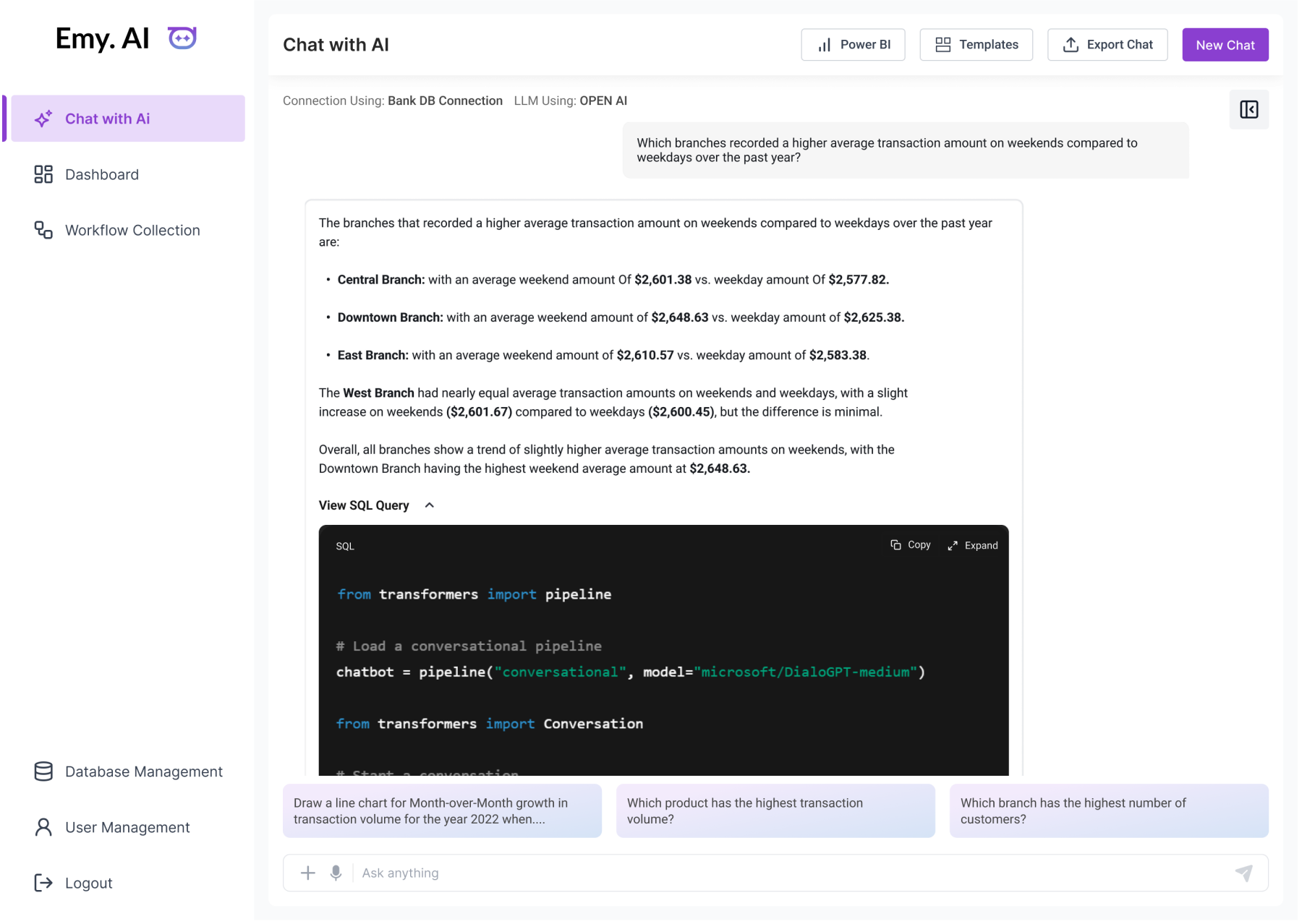
Chat with AI Flow
Users type or speak a question, and the system turns it into a correct SQL query. Results appear as clean charts and tables, and suggested queries help users start quickly.


google.com
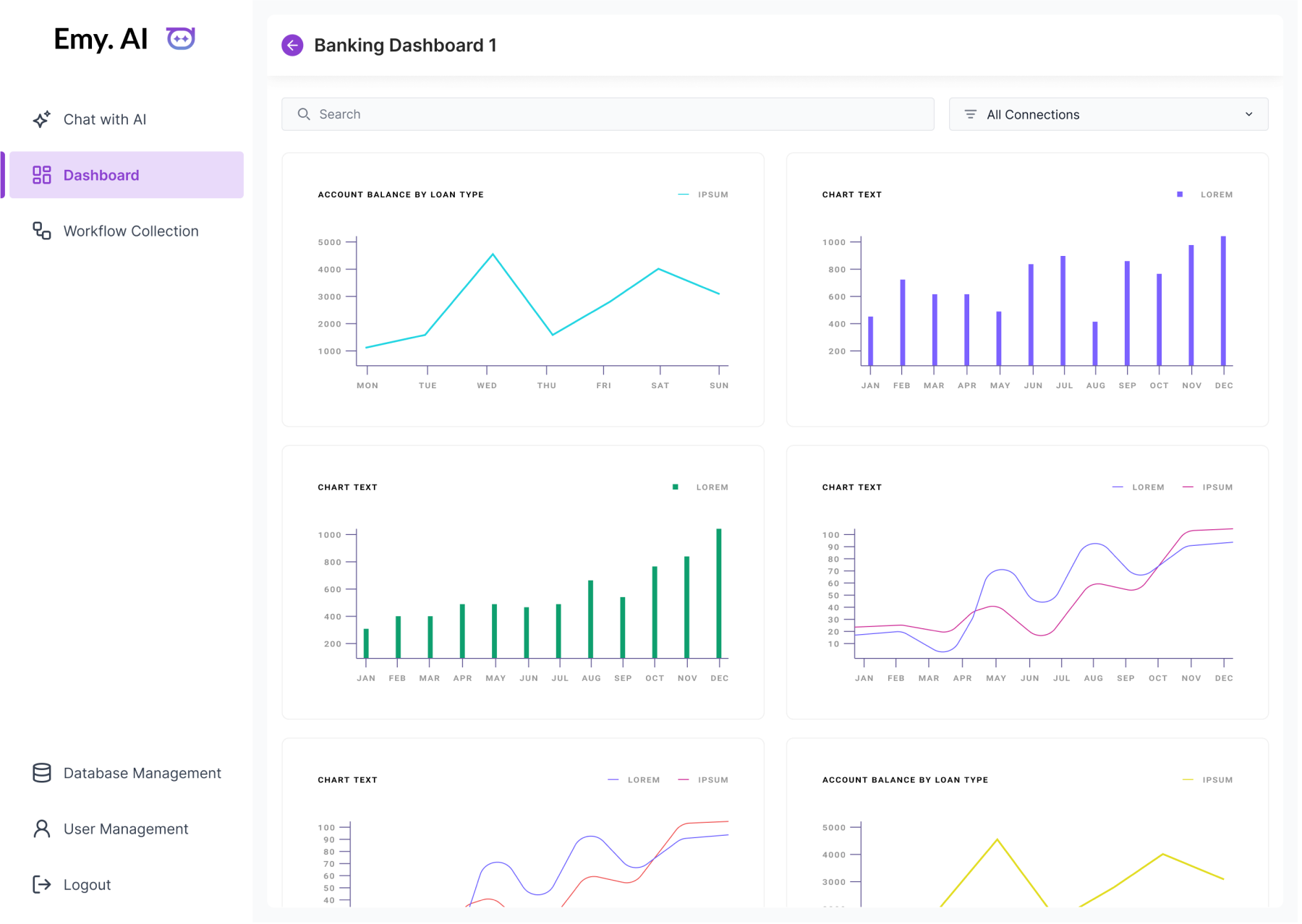
Dashboard Flow
Users can view saved insights and charts in one place. It allows them to revisit important information without asking the same questions again.


google.com
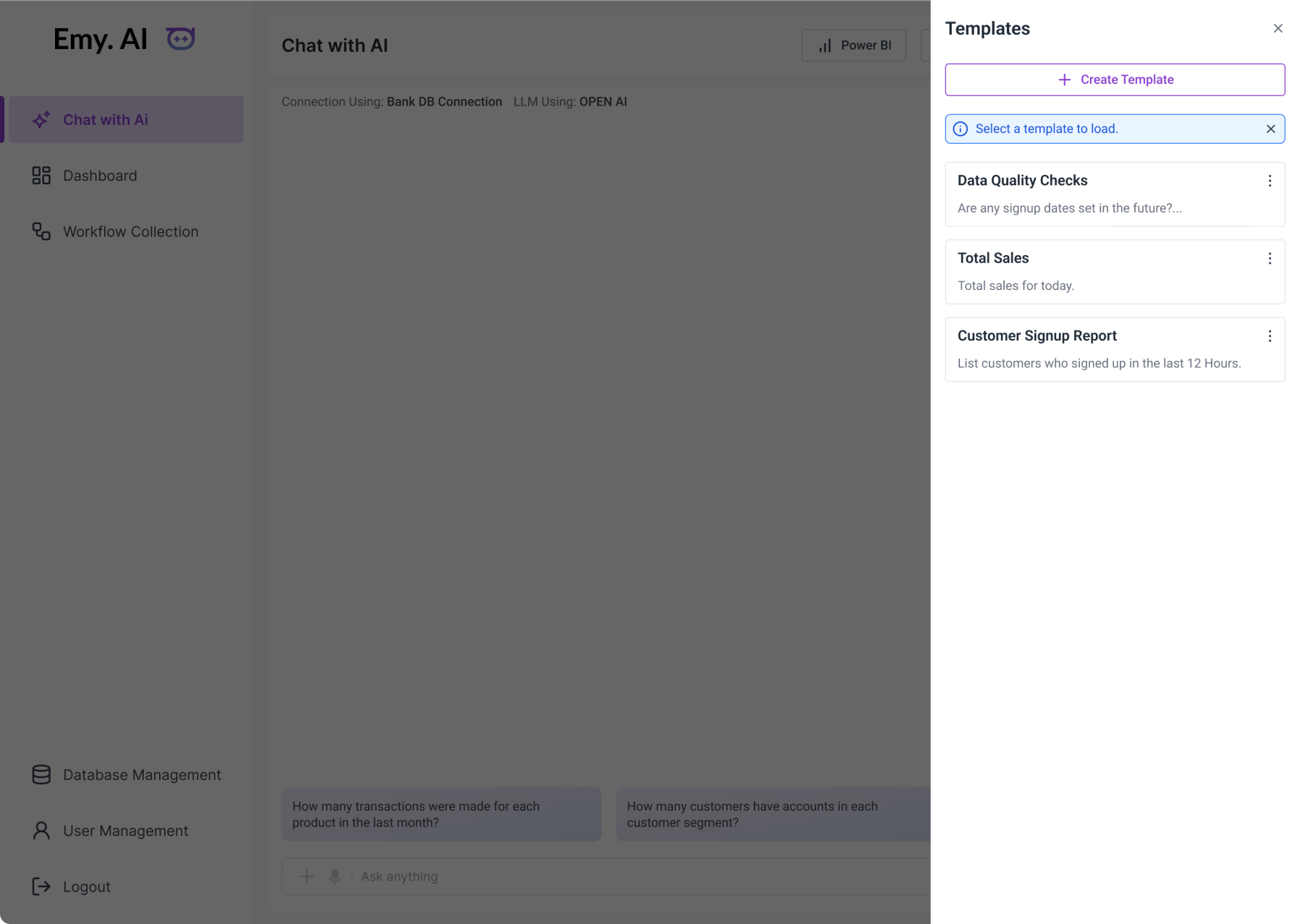
Templates Panel
This screen shows a side panel where users can quickly load ready-made templates for common queries like data quality checks, total sales, or customer signup reports. It helps users reuse frequent questions without typing them again.
The “Create Template” option lets users save their own custom prompts, making recurring tasks faster and more consistent.
This feature reduces effort and gives users a quick way to start their analysis with just one click.