Let’s Talk



CheckMates Application
In this application, an employee can quickly share how their week went, highlight what went well or not, and give shoutouts to teammates. All feedback stays confidential and helps improve work, culture, and team safety.
ROLE
Ux Designer

SCOPE OF WORK
UX Research
UI Design
Prototyping
industry
HR & Safety
Social



What I did

Researched user needs and pain points with surveys and interviews.
Designed wireframes and interactive prototypes for both employees and managers.
Focused on simplicity, minimal steps, and clear visual hierarchy to make feedback submission effortless.
Iterated designs based on usability testing to improve clarity and engagement.
What CheckMatesHelps You Do
Mapped the feedback journey to minimize cognitive load and time spent.
Created structured input forms for quick, guided feedback.
Ensured confidentiality with design cues and messaging to build trust.
Designed dashboards to provide meaningful insights without overwhelming data.


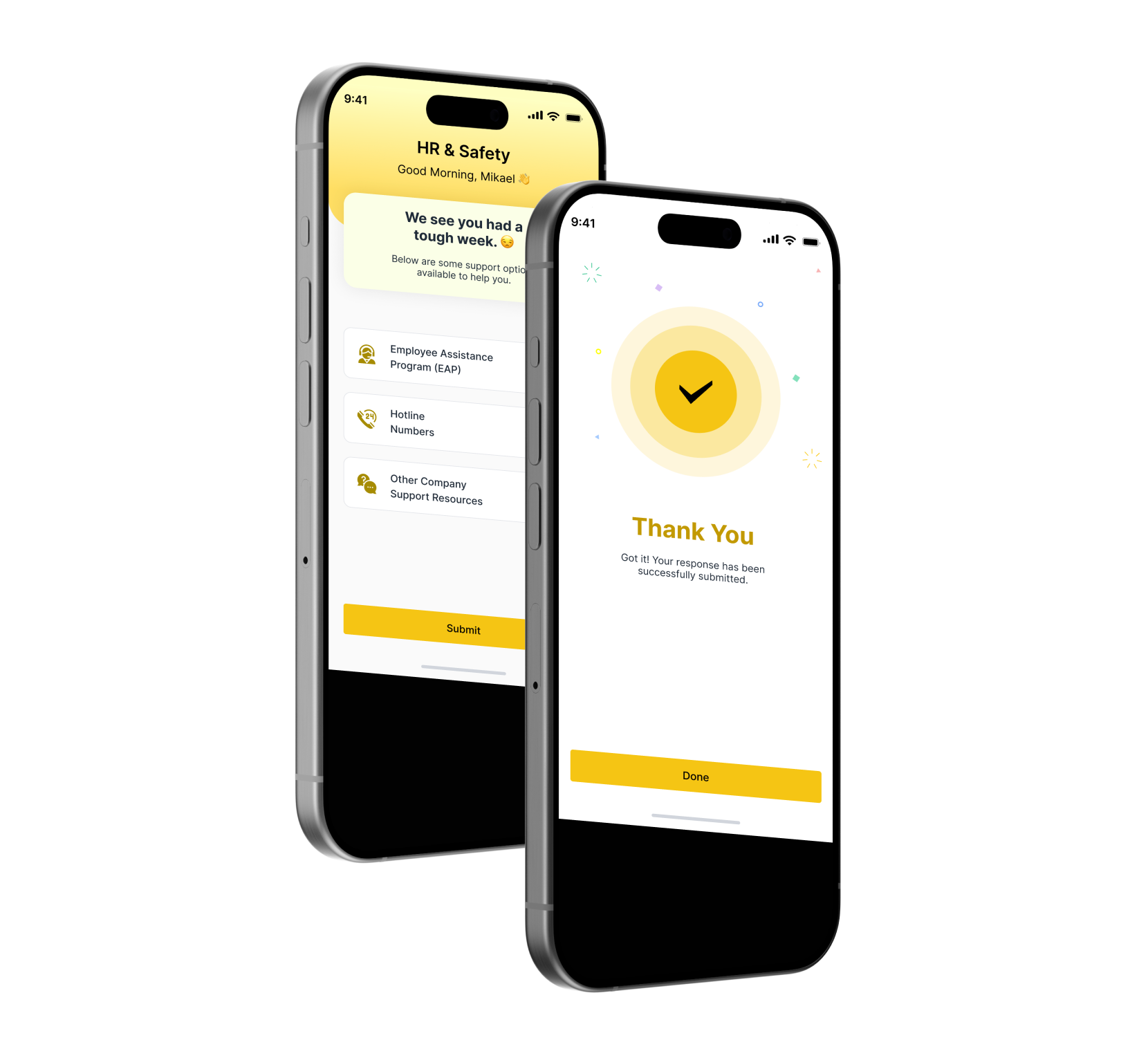
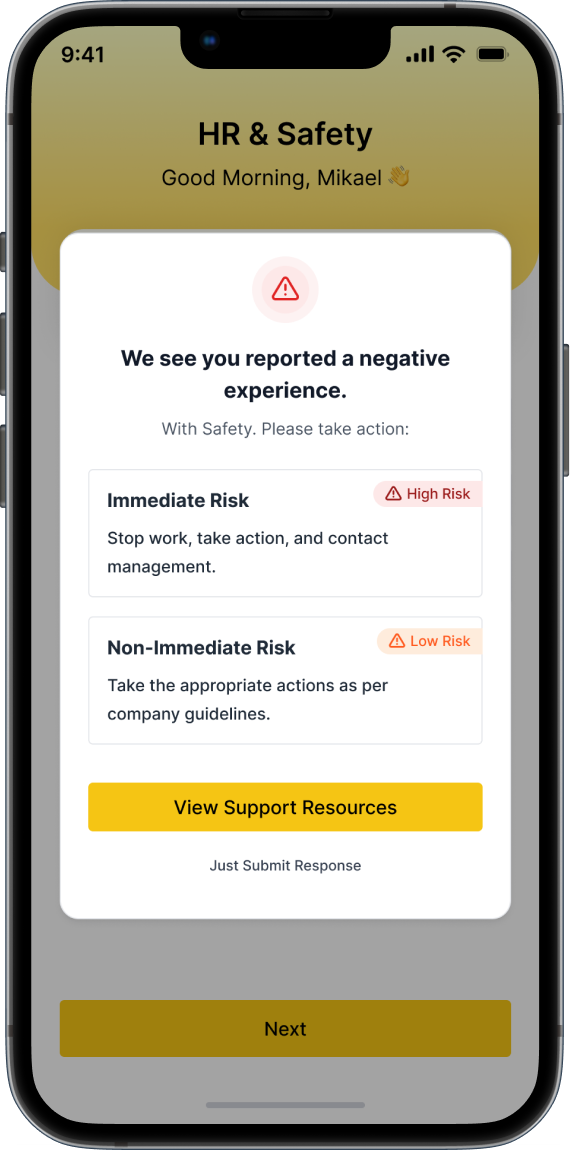
Support Resources Screen
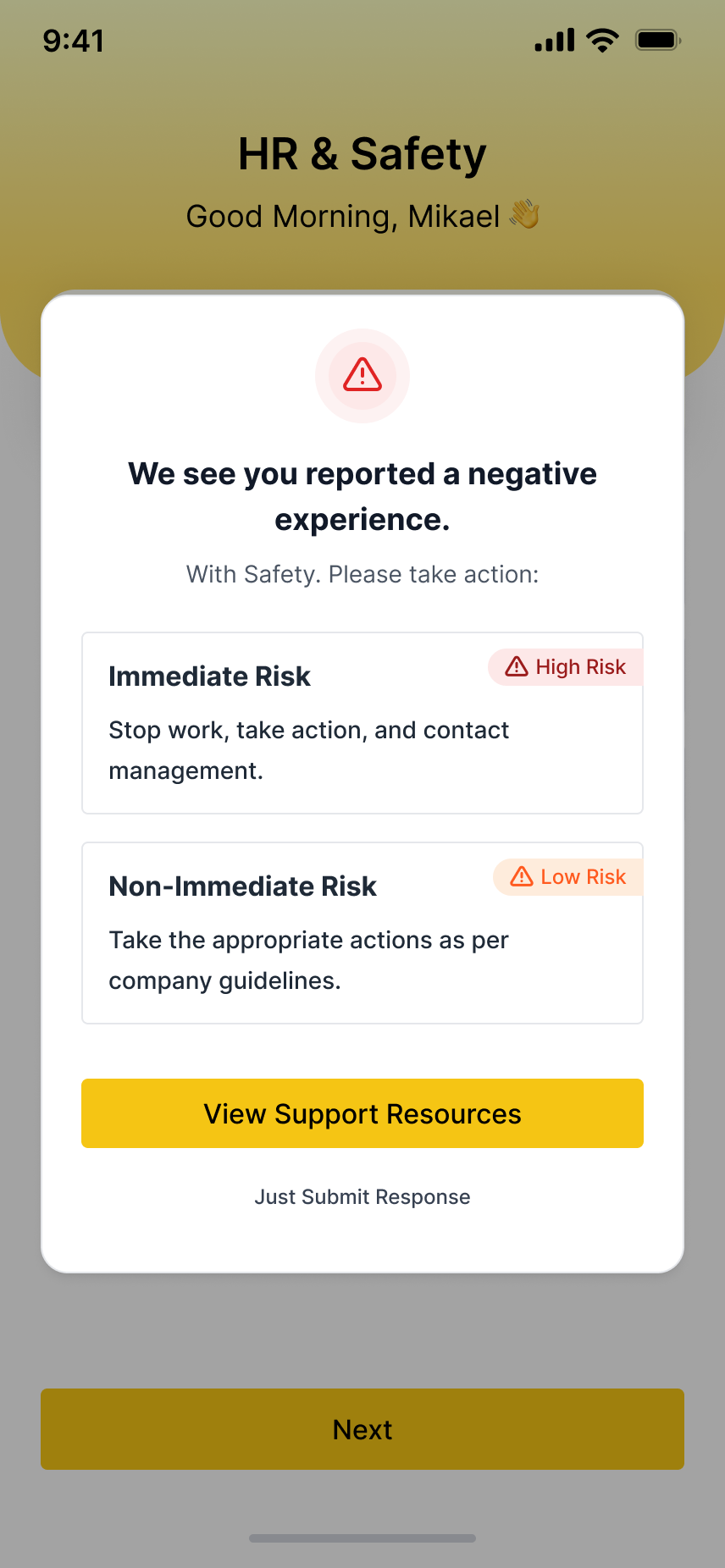
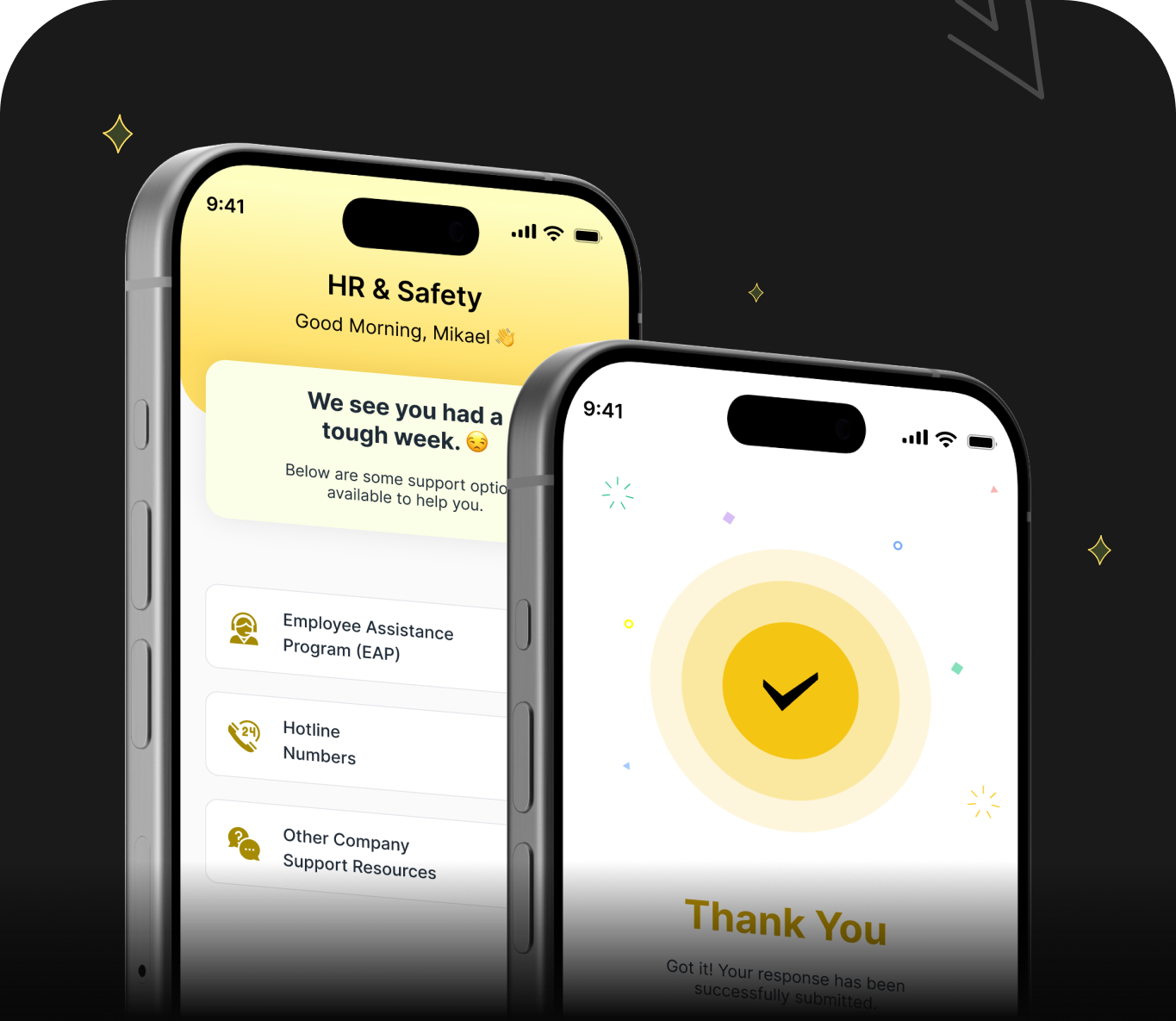
This screen informs the user about their reported safety issue and directs them to the right next steps based on risk level.
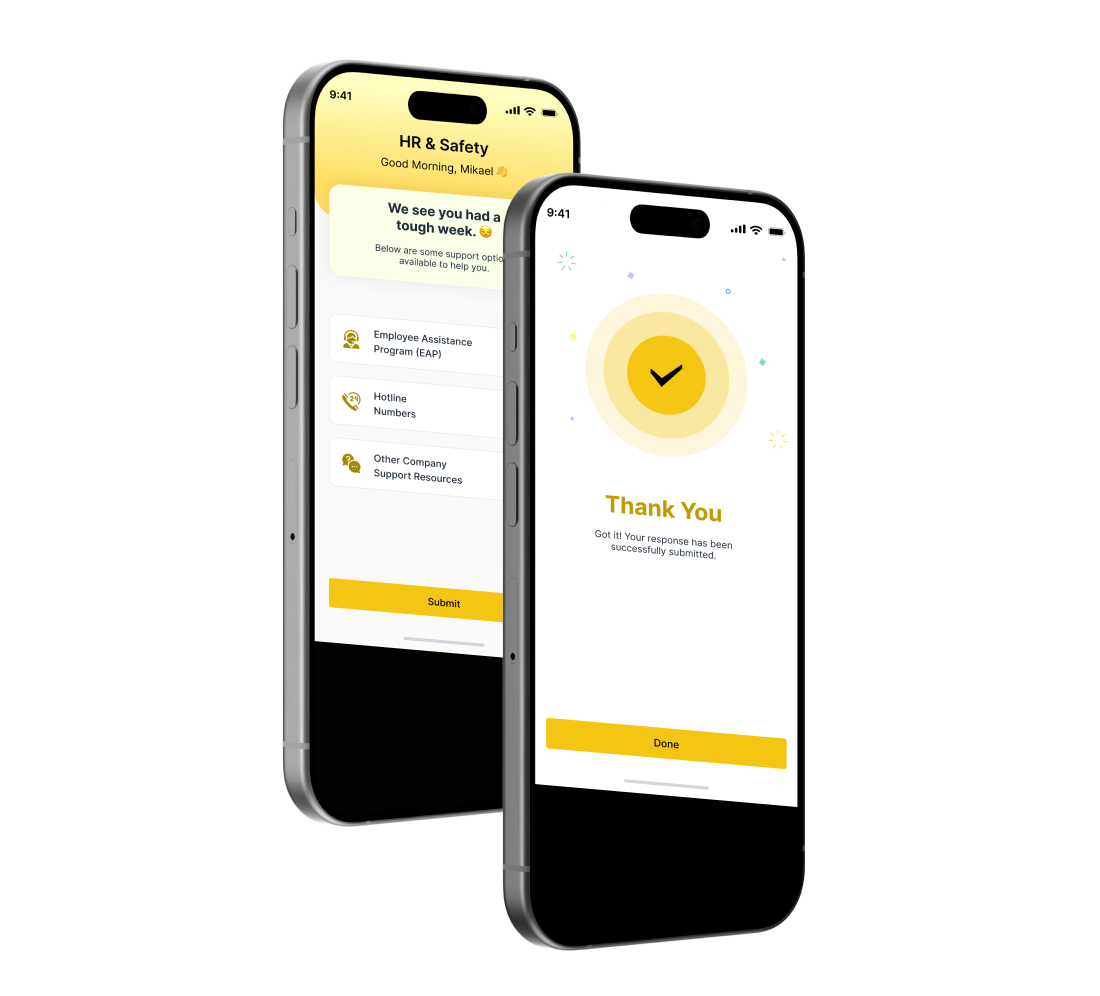
Weekly Summary Screen
- Users see a concise recap of their submitted feedback.
- Encourages reflection and highlights small wins or areas needing attention.






Problem Statement

Employees struggle to share weekly feedback quickly, leading to missed insights on work culture and team dynamics.
Feedback is often scattered or informal, making it hard for managers to track trends in work satisfaction, safety, and collaboration.

Lack of a confidential, easy-to-use platform prevents honest feedback, impacting overall team morale and organizational improvement.
How I Solved the Problem
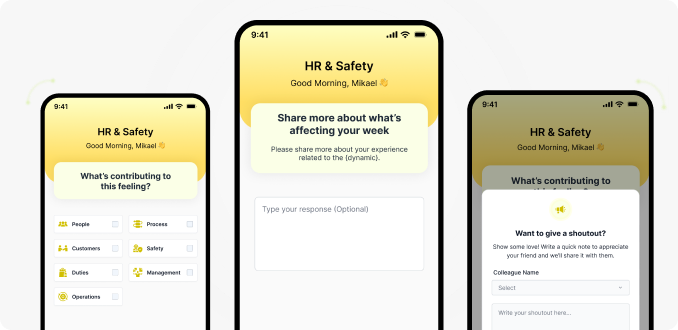
Share what worked, what didn’t, and give a shoutout to teammates who helped. Your feedback helps improve our work and team culture.


Showcasing the App Screens
Gives you a clear peek into the app’s features and design.


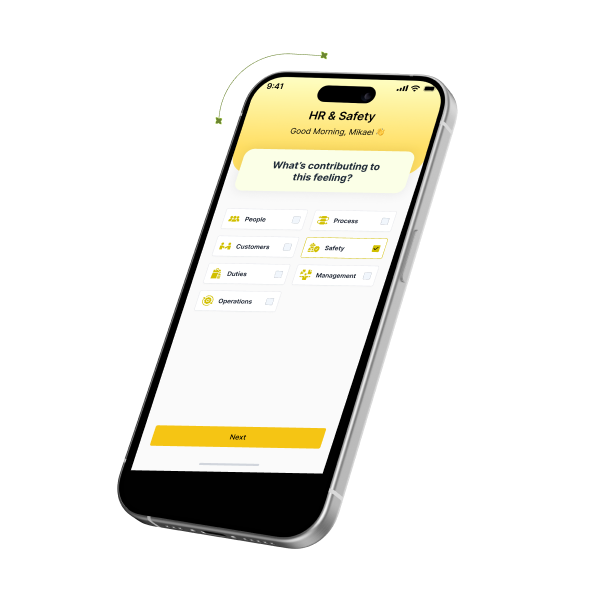
Feedback Submission Screen
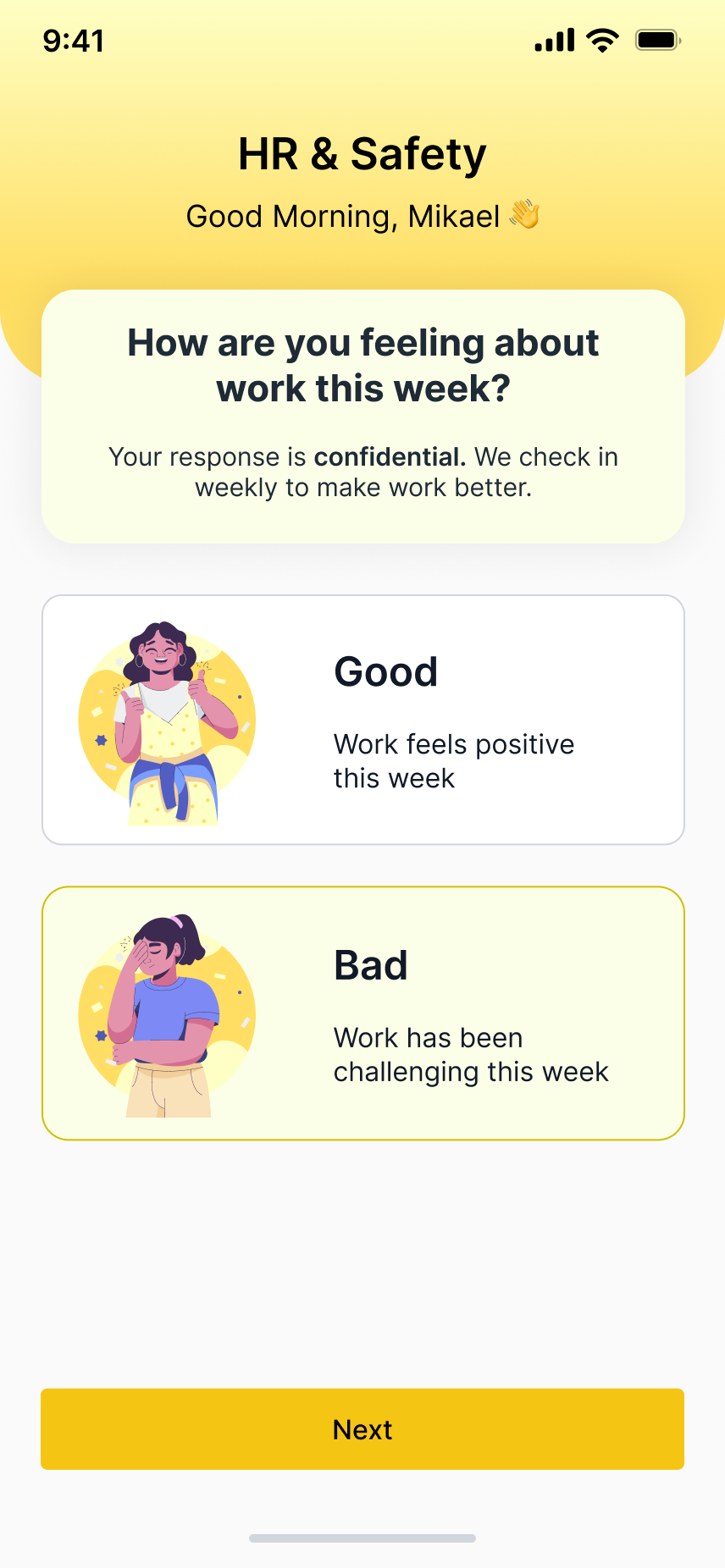
Feedback Screen
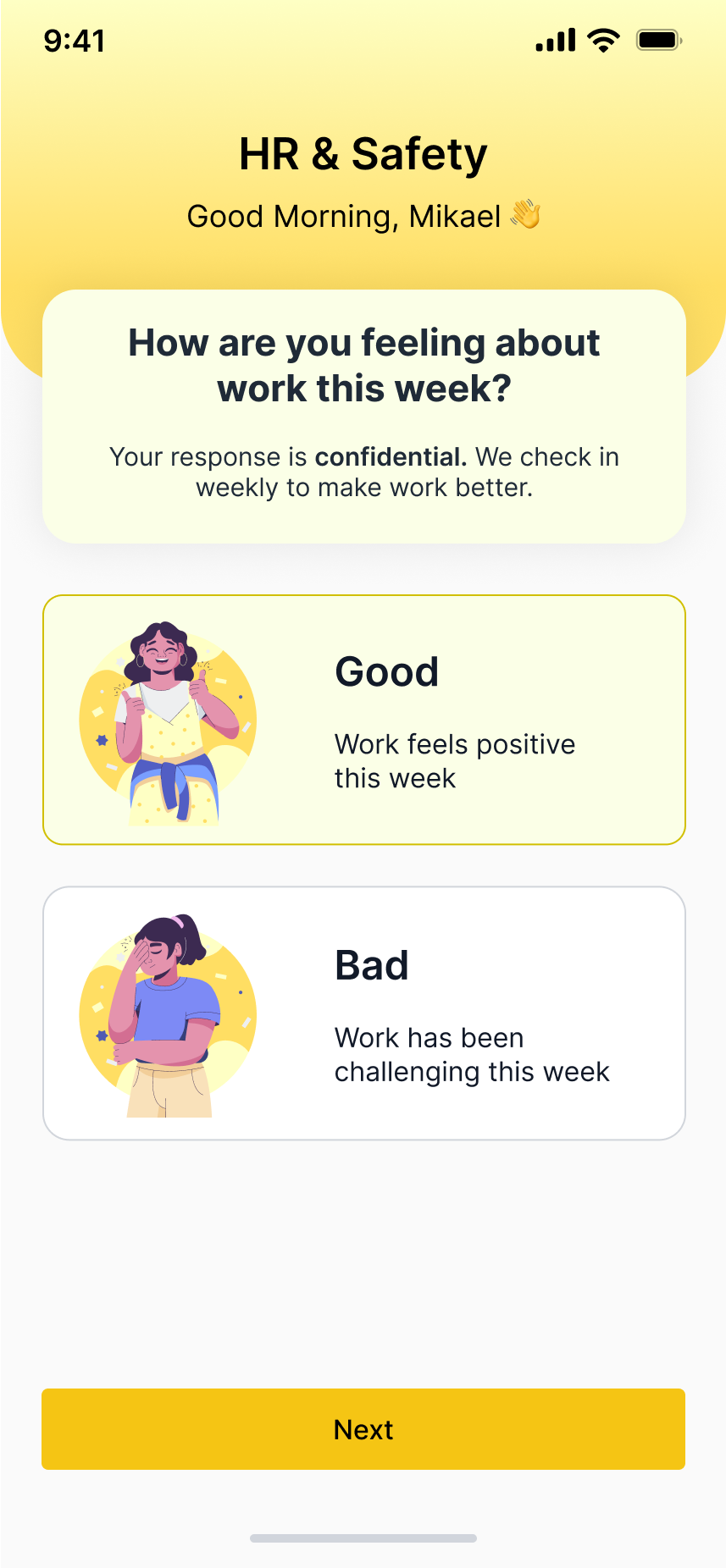
This screen allows users to rate their week as good or bad, giving a quick sense of how they feel about their work environment.
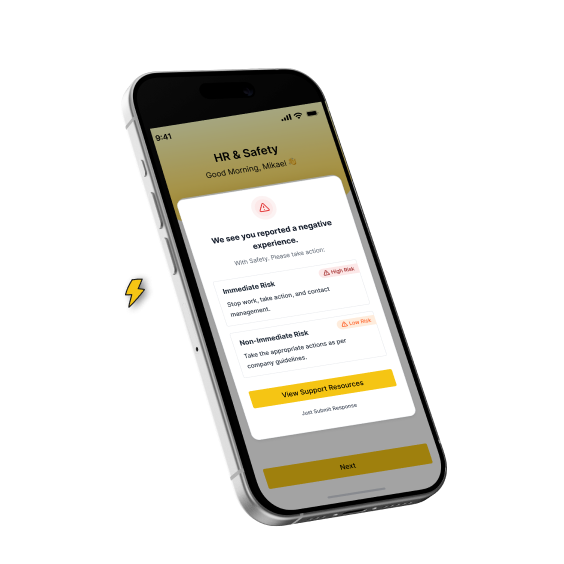
Support Resources Screen
This screen informs the user about their reported safety issue and directs them to the right next steps based on risk level.








Let’s Connect
So we can talk about
your project
Have any question or project in your mind?



Let’s Connect
So we can talk about your project
Have any question or project in your mind?


CheckMates Application
In this application, an employee can quickly share how their week went, highlight what went well or not, and give shoutouts to teammates.
All feedback stays confidential and helps improve work, culture, and team safety.
ROLE
Ux Designer

SCOPE OF WORK
UX Research
UI Design
Prototyping
industry
HR & Safety
Social

What I did

Researched user needs and pain points with surveys and interviews.
Designed wireframes and interactive prototypes for both employees and managers.
Focused on simplicity, minimal steps, and clear visual hierarchy to make feedback submission effortless.
Iterated designs based on usability testing to improve clarity and engagement.
Delivered a scalable design system for future use.
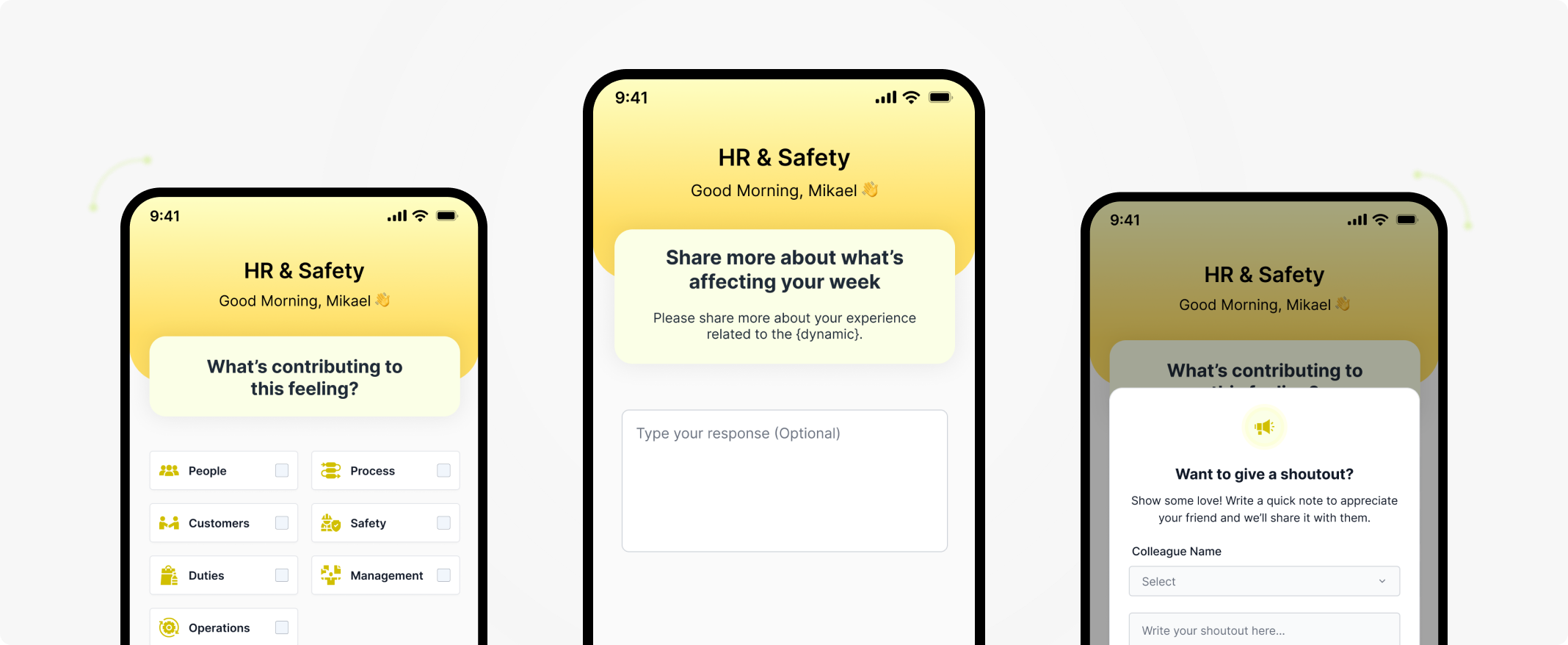
Showcasing the App Screens
Gives you a clear peek into the app’s features and design.
How I Solved the Problem
Share what worked, what didn’t, and give a shoutout to teammates who helped. Your feedback helps improve our work and team culture.


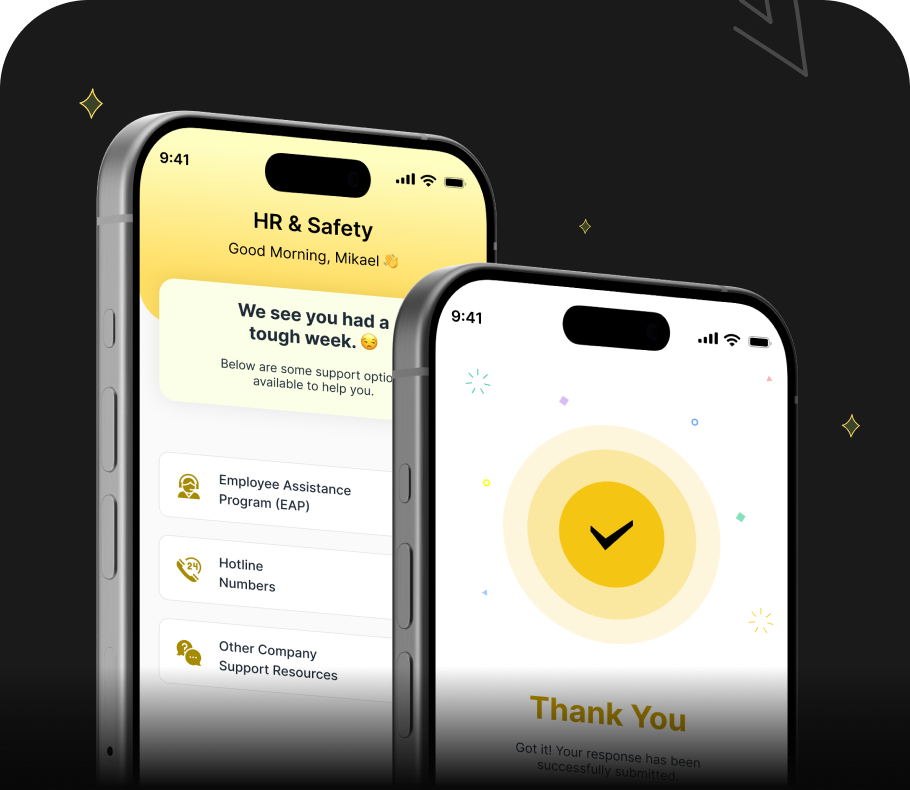
Problem Statement

Employees struggle to share weekly feedback quickly, leading to missed insights on work culture and team dynamics.
Feedback is often scattered or informal, making it hard for managers to track trends in work satisfaction, safety, and collaboration.
Lack of a confidential, easy-to-use platform prevents honest feedback, impacting overall team morale and organizational improvement.
What CheckMates Helps You Do

Mapped the feedback journey to minimize cognitive load and time spent.
Created structured input forms for quick, guided feedback.
Ensured confidentiality with design cues and messaging tobuild trust.
Designed dashboards to provide meaningful insights without overwhelming data.
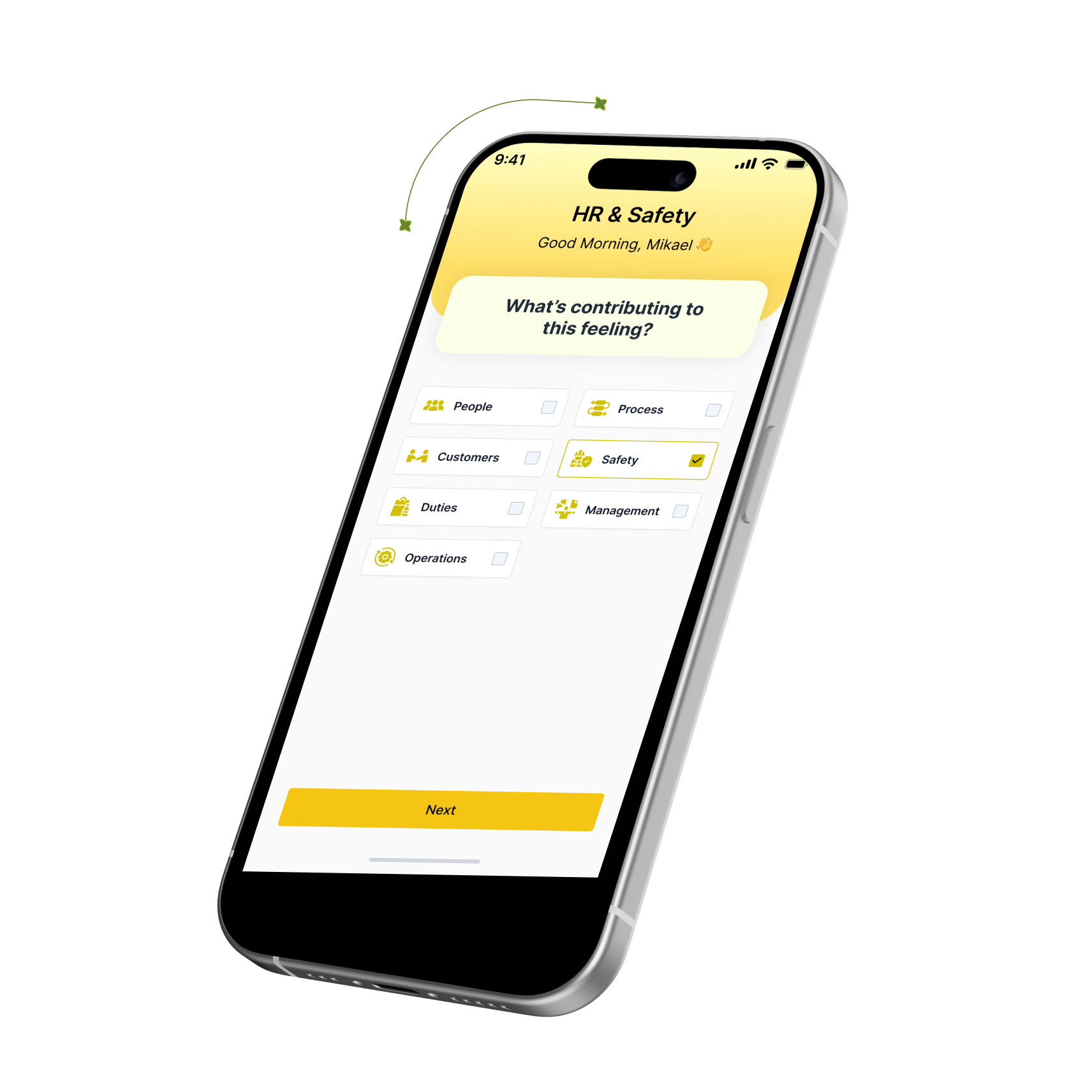
Feedback Submission Screen
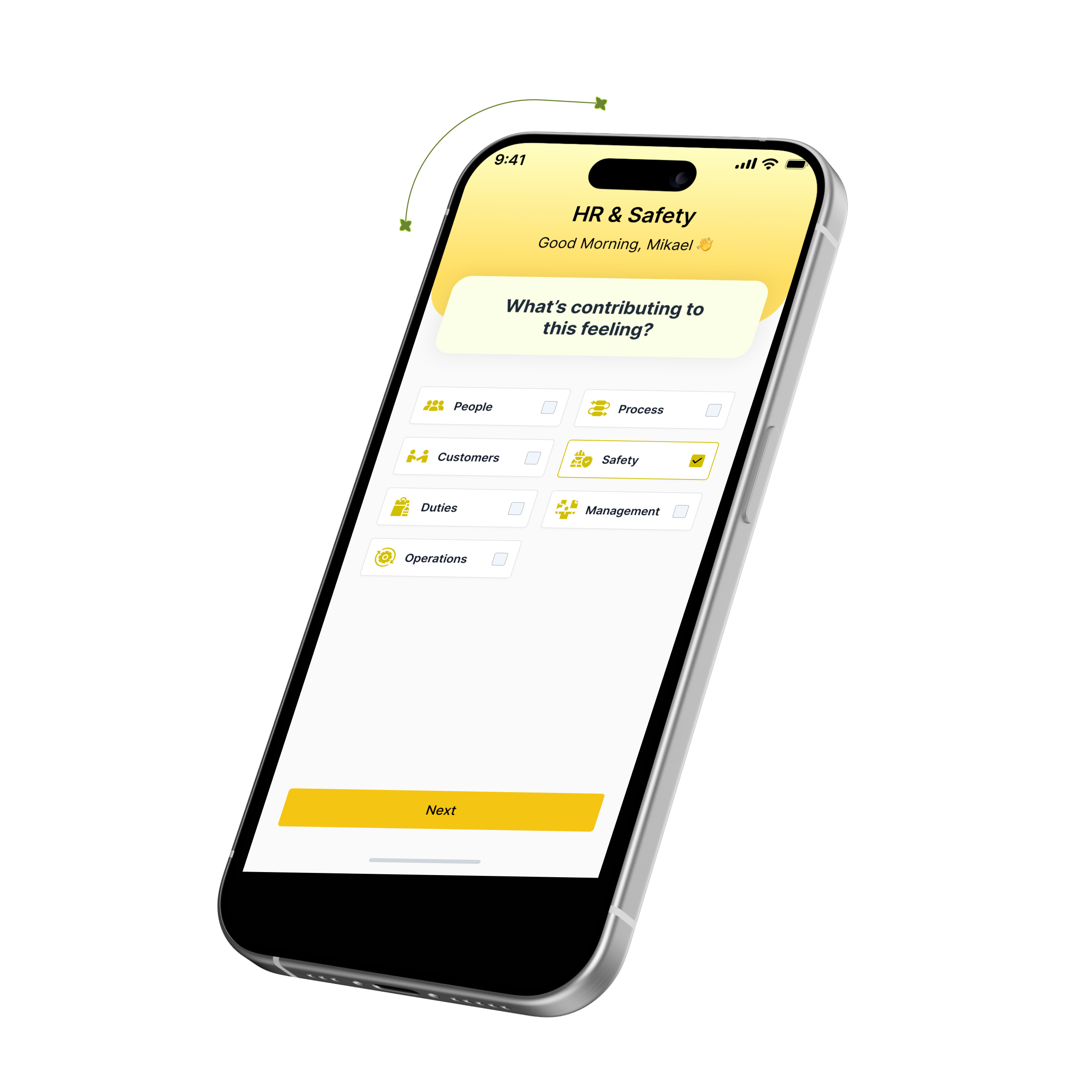
Users select “Good,” “Not-so-good,” and write a quick shoutout.
Visual cues and friendly microcopy make the process fast and engaging.
Feedback Screen
This screen allows users to rate their week as good or bad, giving a quick sense of how they feel about their work environment.
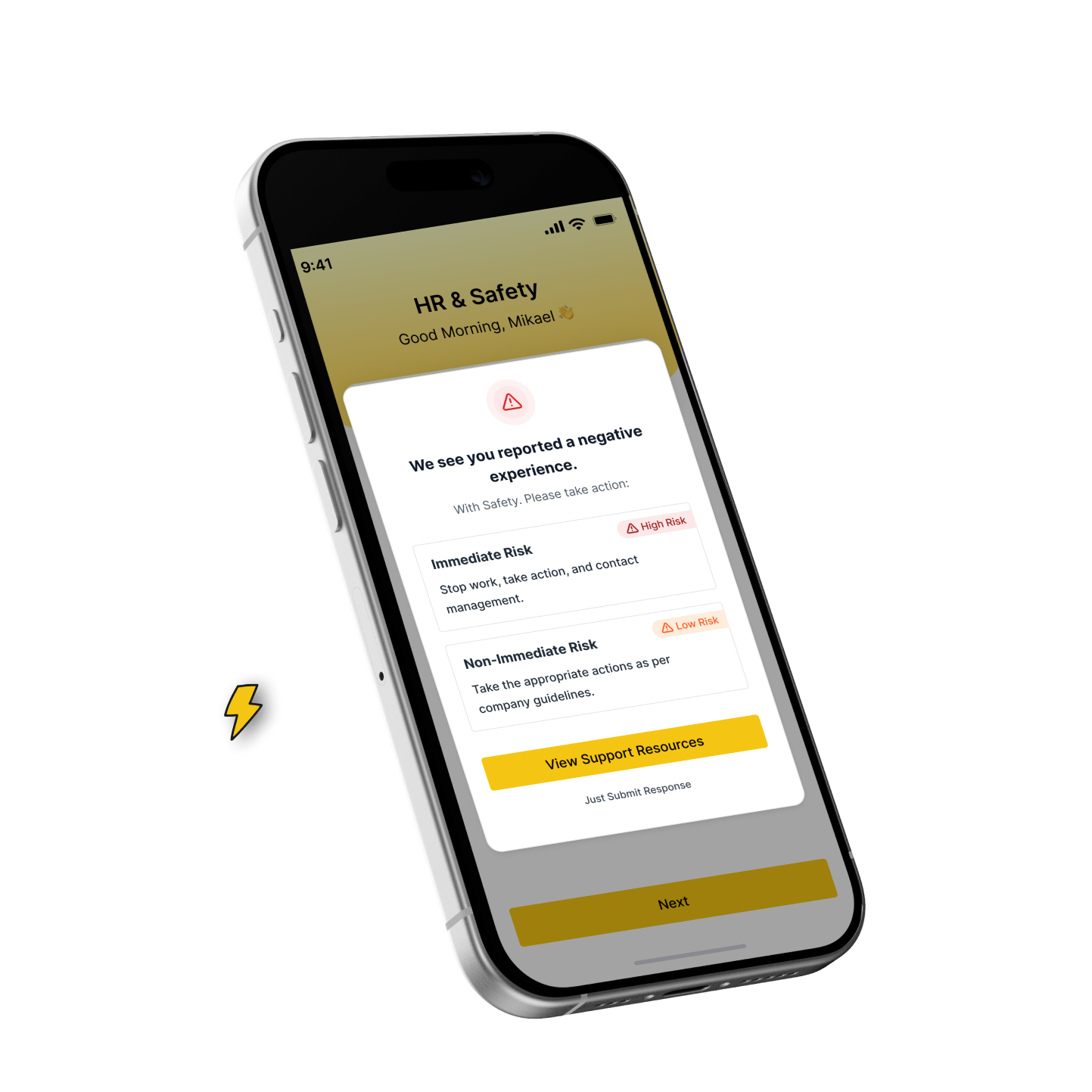
Support Resources
This screen informs the user about their reported safety issue and directs them to the right next steps based on risk level.
Support Resources
This screen informs the user about their reported safety issue and directs them to the right next steps based on risk level.



Let’s Talk

Go back
Let’s Talk

Go back




Let’s Connect
So we can talk about your project
Have any question or project in your mind?

CheckMates Application
In this application, an employee can quickly share how their week went, highlight what went well or not, and give shoutouts to teammates.
All feedback stays confidential and helps improve work, culture, and team safety.
ROLE
Ux Designer

SCOPE OF WORK
UX Research
UI Design
Prototyping
industry
HR & Safety
Social


What I did

Researched user needs and pain points with surveys and interviews.
Designed wireframes and interactive prototypes for both employees and managers.
Focused on simplicity, minimal steps, and clear visual hierarchy to make feedback submission effortless.
Iterated designs based on usability testing to improve clarity and engagement.
Delivered a scalable design system for future use.
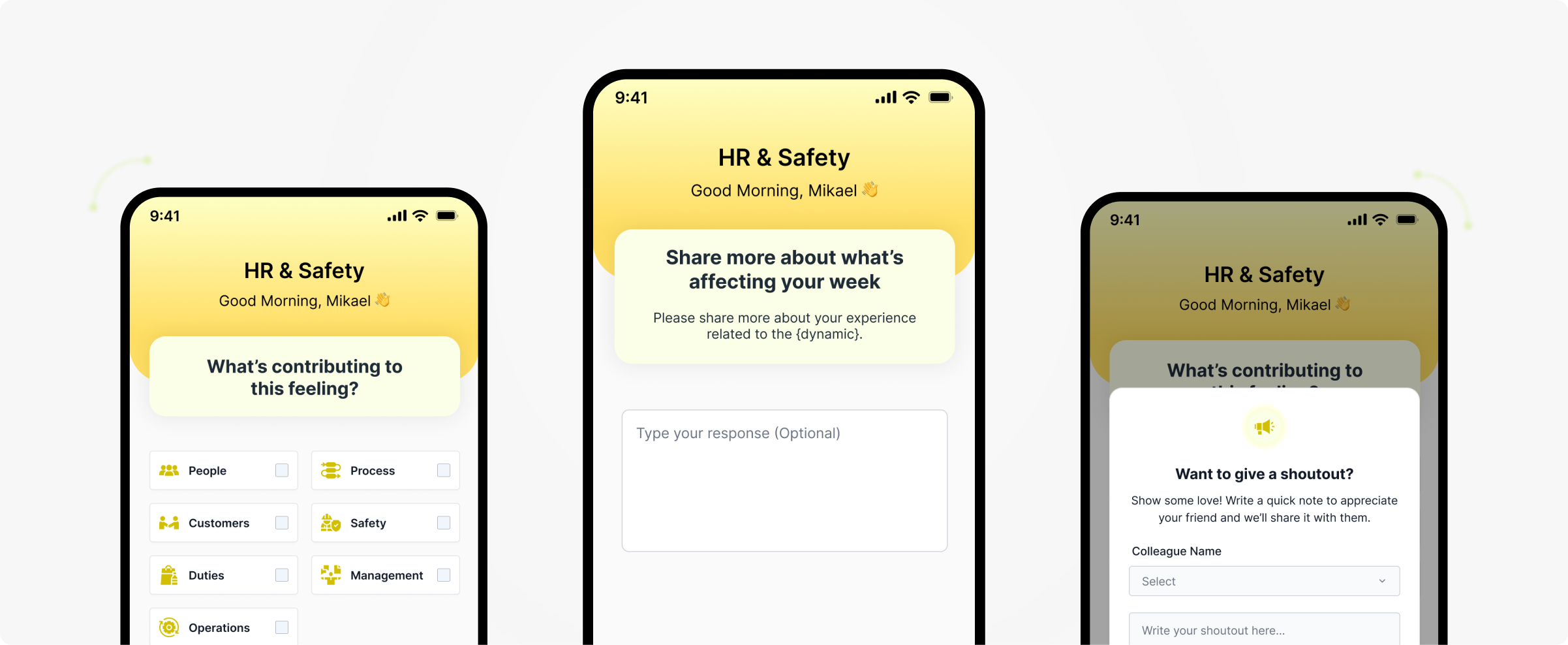

Showcasing the App Screens
Gives you a clear peek into the app’s features and design.
How I Solved the Problem
Share what worked, what didn’t, and give a shoutout to teammates who helped. Your feedback helps improve our work and team culture.




Problem Statement

Employees struggle to share weekly feedback quickly, leading to missed insights on work culture and team dynamics.
Feedback is often scattered or informal, making it hard for managers to track trends in work satisfaction, safety, and collaboration.
Lack of a confidential, easy-to-use platform prevents honest feedback, impacting overall team morale and organizational improvement.

What CheckMates Helps You Do

Mapped the feedback journey to minimize cognitive load and time spent.
Created structured input forms for quick, guided feedback.
Ensured confidentiality with design cues and messaging to build trust.
Designed dashboards to provide meaningful insights without overwhelming data.
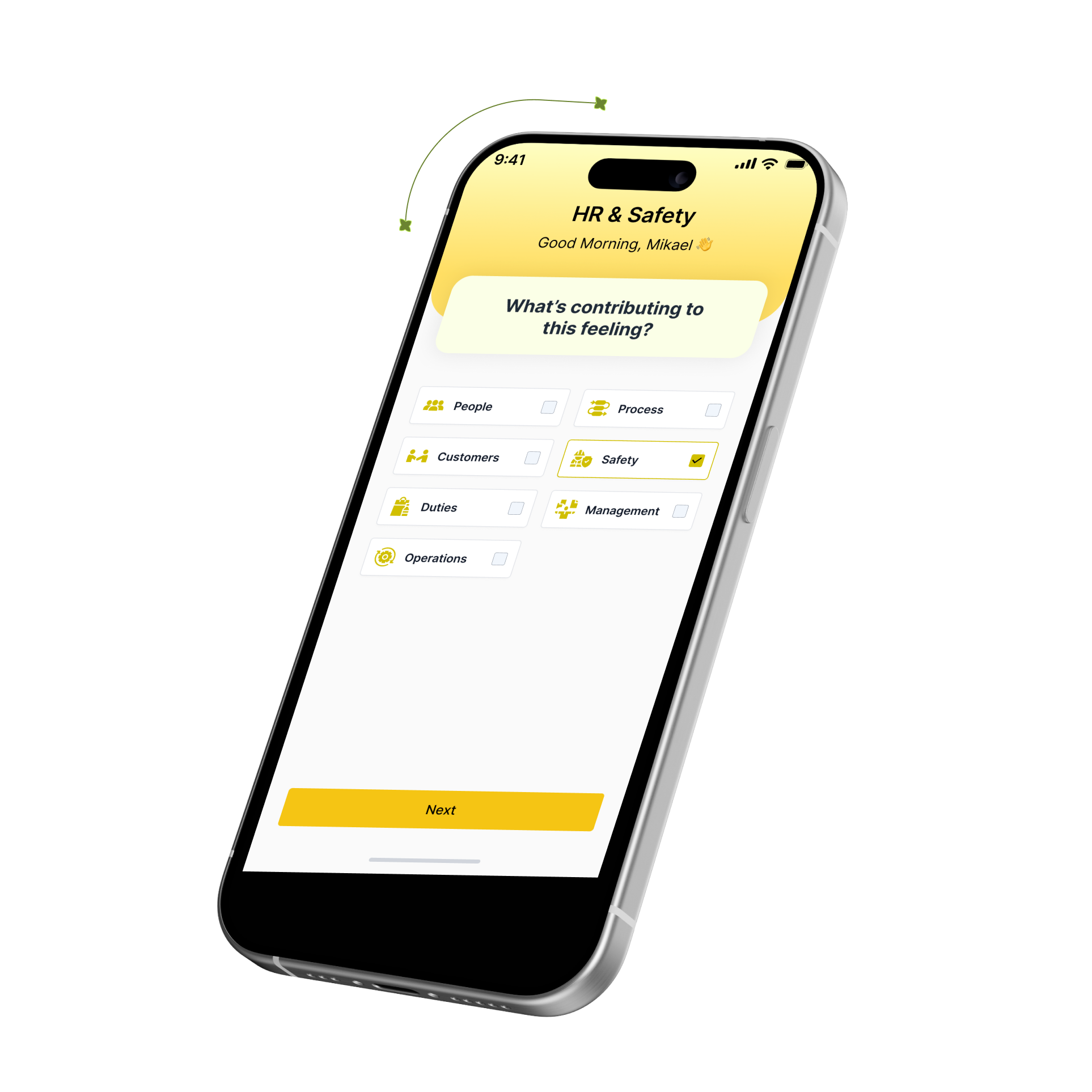
Feedback Submission Screen
Users select “Good,” “Not-so-good,” and write a quick shoutout.
Visual cues and friendly microcopy make the process fast and engaging.
Feedback Screen
This screen allows users to rate their week as good or bad, giving a quick sense of how they feel about their work environment.
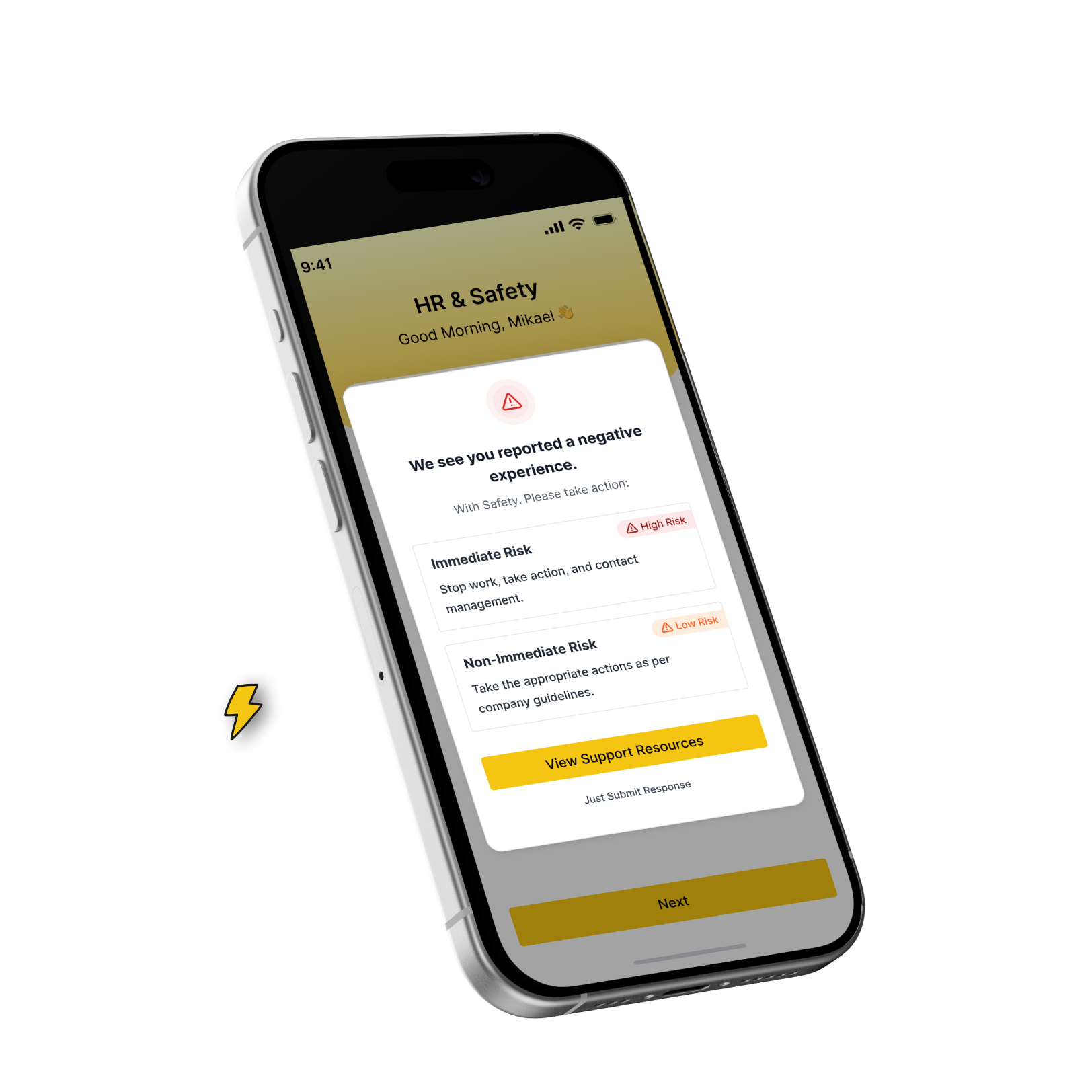
Support Resources
This screen informs the user about their reported safety issue and directs them to the right next steps based on risk level.
Support Resources
This screen informs the user about their reported safety issue and directs them to the right next steps based on risk level.









Let’s Connect
So we can talk about your project
Have any question or project in your mind?


CheckMates Application
In this application, an employee can quickly share how their week went, highlight what went well or not, and give shoutouts to teammates.
All feedback stays confidential and helps improve work, culture, and team safety.
ROLE
Ux Designer

SCOPE OF WORK
UX Research
UI Design
Prototyping
industry
HR & Safety
Social


What I did

Researched user needs and pain points with surveys and interviews.
Designed wireframes and interactive prototypes for both employees and managers.
Focused on simplicity, minimal steps, and clear visual hierarchy to make feedback submission effortless.
Iterated designs based on usability testing to improve clarity and engagement.
Delivered a scalable design system for future use.
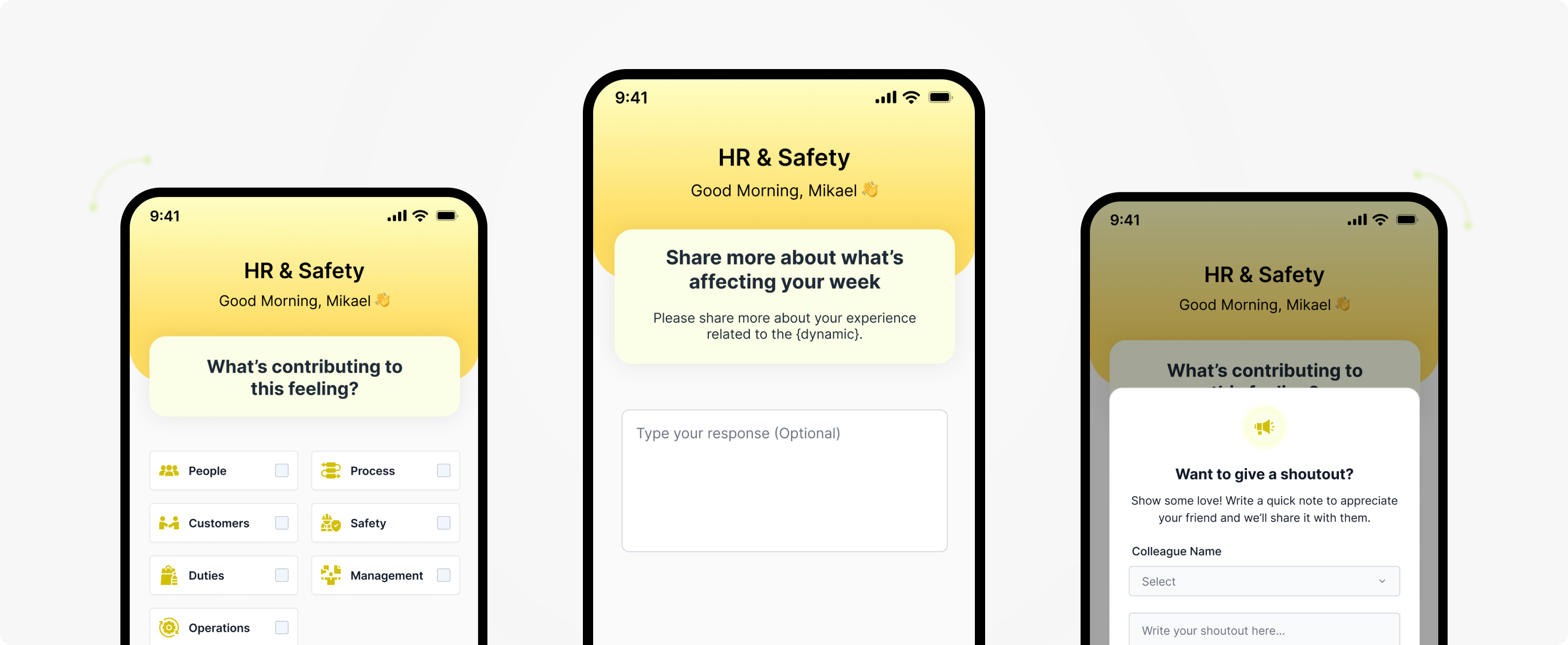

Showcasing the App Screens
Gives you a clear peek into the app’s features and design.
How I Solved the Problem
Share what worked, what didn’t, and give a shoutout to teammates who helped. Your feedback helps improve our work and team culture.


Problem Statement

Employees struggle to share weekly feedback quickly, leading to missed insights on work culture and team dynamics.
Feedback is often scattered or informal, making it hard for managers to track trends in work satisfaction, safety, and collaboration.
Lack of a confidential, easy-to-use platform prevents honest feedback, impacting overall team morale and organizational improvement.





What CheckMates Helps You Do

Mapped the feedback journey to minimize cognitive load and time spent.

Created structured input forms for quick, guided feedback.

Ensured confidentiality with design cues and messaging tobuild trust.

Designed dashboards to provide meaningful insights without overwhelming data.
Feedback Submission Screen
- Users select “Good,” “Not-so-good,” and write a quick shoutout.
- Visual cues and friendly microcopy make the process fast and engaging.
Feedback Screen
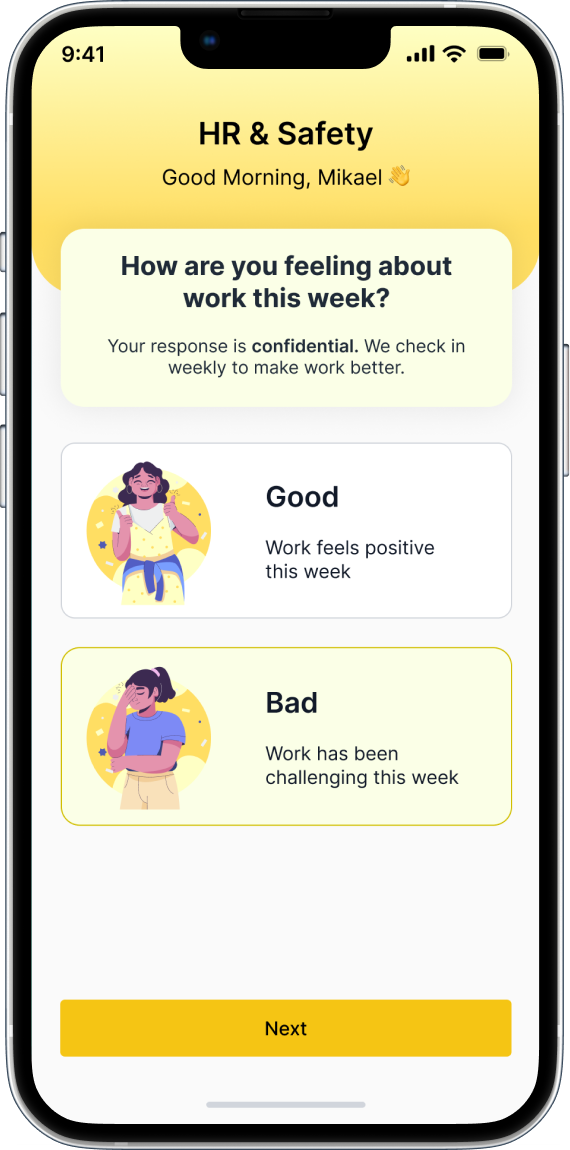
This screen allows users to rate their week as good or bad, giving a quick sense of how they feel about their work environment.
Support Resources Screen
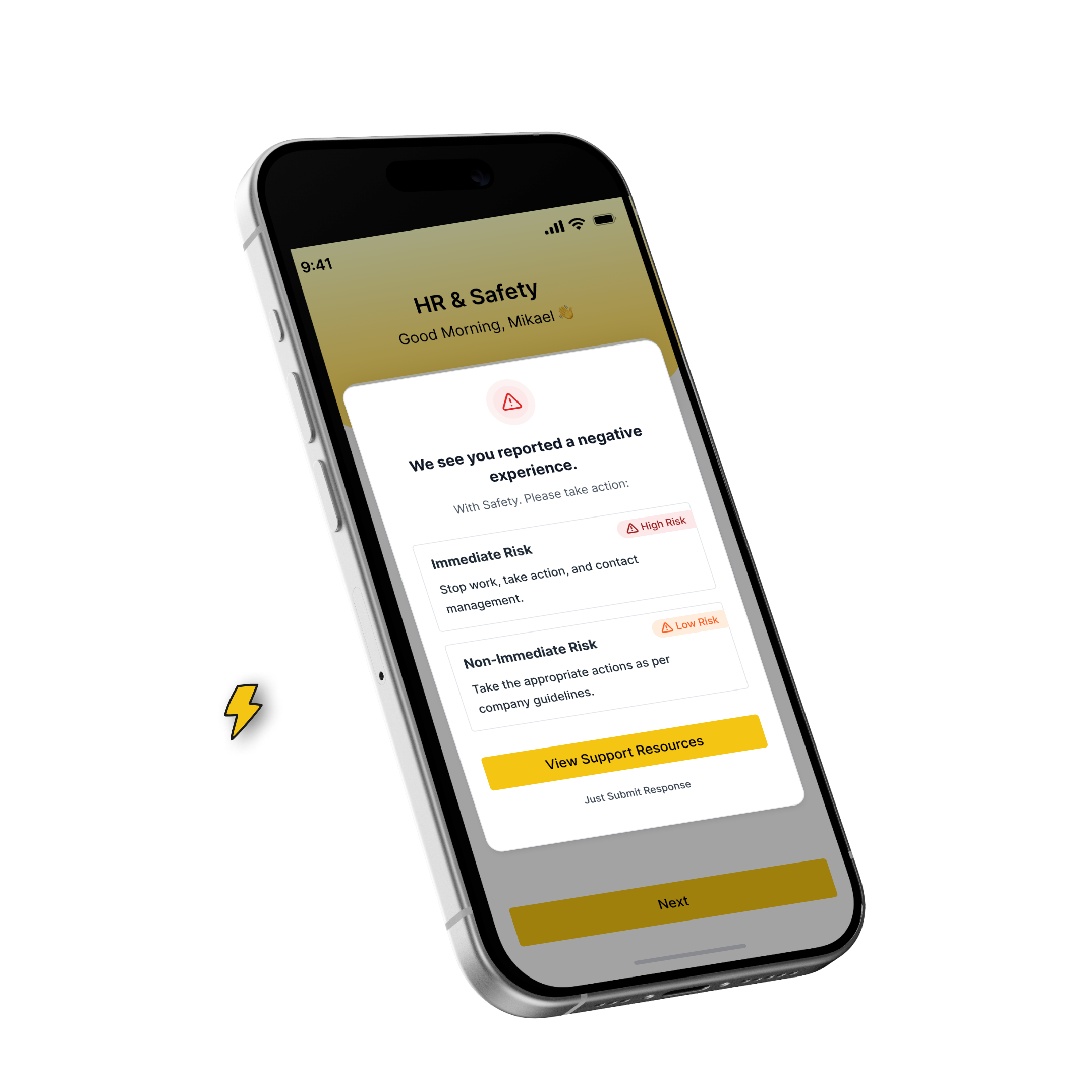
This screen informs the user about their reported safety issue and directs them to the right next steps based on risk level.
Support Resources
This screen informs the user about their reported safety issue and directs them to the right next steps based on risk level.
Let’s Talk

Go back